One subtitle, a whole movie transcoded
You press play on a movie that played fine yesterday, switch on a subtitle, and the server's CPU jumps to 100%. The video was fine. The subtitle was the problem. On a small NAS, one subtitle track can be the difference between smooth playback and a stalled one. This article explains why that happens on other servers, and what Kryspal Media does instead: it never transcodes the video and never burns subtitles into it.
Why one subtitle can mean a transcode
A subtitle reaches your screen in one of two ways. Either the player draws it on top of the picture, or the server draws it into the picture before sending it. The second way is called burning in, and it means the server has to decode and re-encode every frame of the video, for the whole movie, to show a few lines of text.
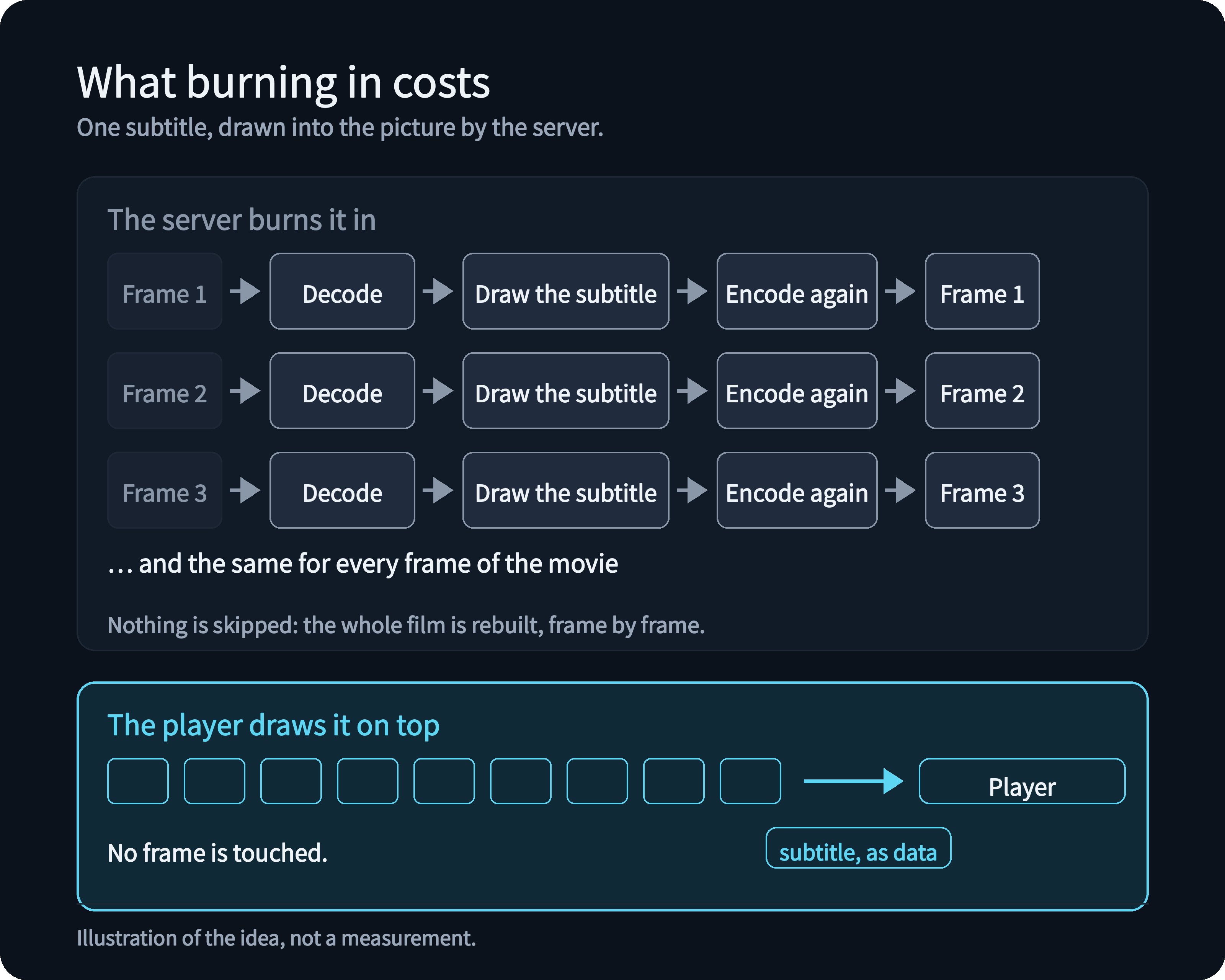
Jellyfin's documentation says it directly: subtitles "can cause Direct Stream (subtitles are remuxed) or video transcoding (burning in subtitles) to occur", and it adds that "Burning in subtitles is the most intensive method of transcoding."
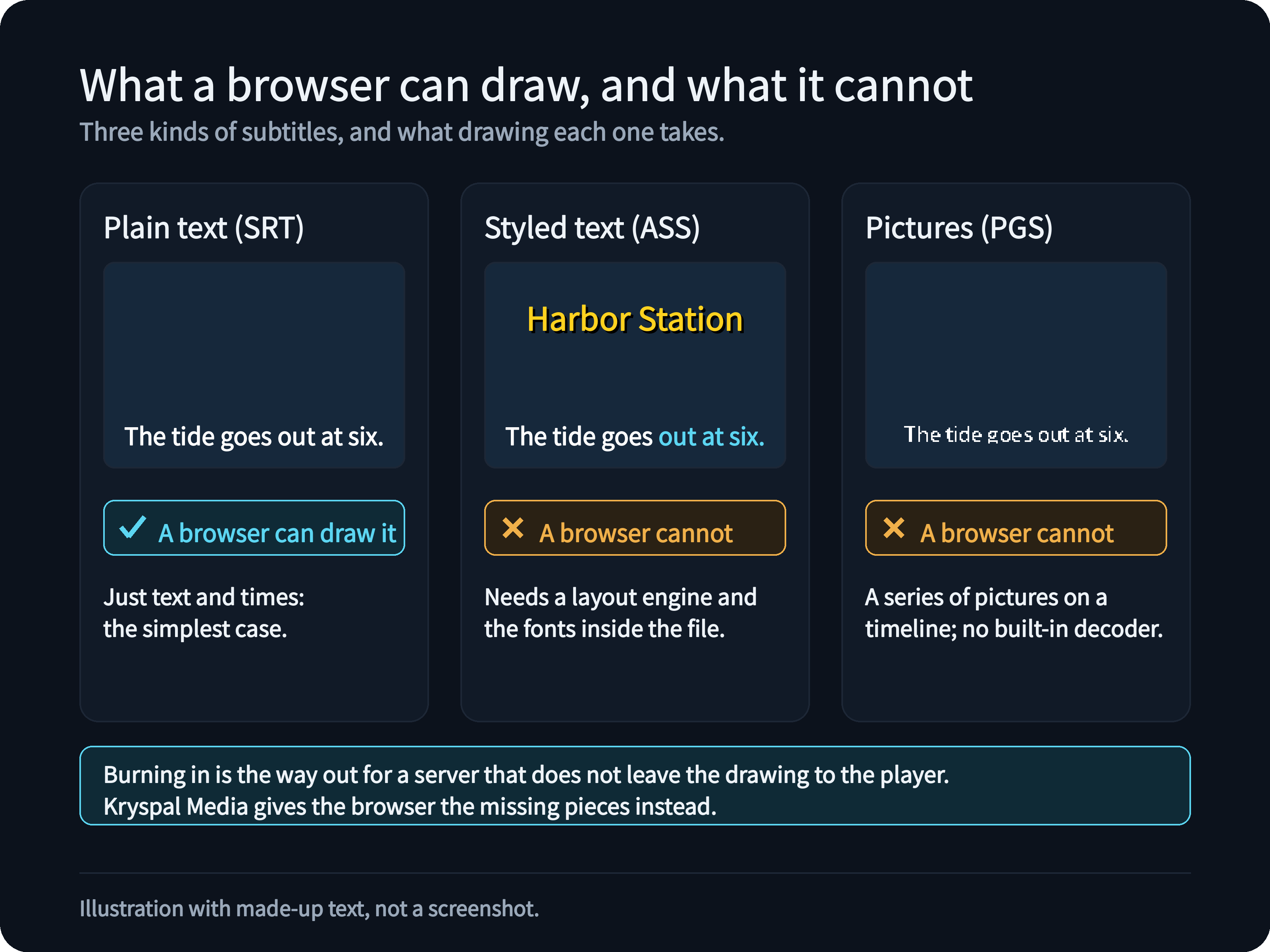
Which subtitles are at risk depends on what the player can draw itself:
- Picture subtitles such as Blu-ray PGS are small images, not text. Many players cannot draw them, and browsers have no built-in support for them. In 2019 an Emby staff member wrote that PGS "needs to be converted and, once that happens, the only thing we can do with PGS subs at this time is burn them in." A Plex user explains the same thing for the browser: PGS "are not supported in a web browser", so the server has to burn them in.
- Styled ASS subtitles carry fonts, colors, positions and effects, the kind of subtitle fansub releases are known for. A player that cannot render ASS gets plain text at best, or a burned-in video. In the same Plex thread, a user reports that, with the burn-in setting on Automatic, it happened with ASS files too.
It does not always happen. The same Emby staff member added in 2020 that PGS by themselves do not require transcoding; in that thread the cause was another part of the file the device could not play. In 2024 another staff member said that Emby apps will always direct play whenever possible and suggested external text subtitles to reduce transcoding. What a server does depends on the player, the file and the settings, and these are forum answers from specific dates, so check the current behavior of the server you use. The pattern is still clear, and a low-power NAS is where burn-in hurts most.
What Kryspal Media does instead
Kryspal Media never re-encodes video and never burns a subtitle into it. This is a founding decision, not a setting. A subtitle is always delivered as data, and something else draws it: your player, or the web player in your browser.
What it means for you
- A small NAS can show any subtitle. Turning on a subtitle costs the server almost nothing, because it only sends a file. There is no video work to run out of CPU for.
- The picture is never touched. The video is not re-encoded, so there is no quality loss and no waiting for a transcode to start. For sound the browser cannot decode, such as TrueHD, only the audio is converted.
- Styled subtitles look the way their authors made them. In the web player an ASS subtitle keeps its fonts, colors, positions and effects, including the fonts carried inside the MKV file.
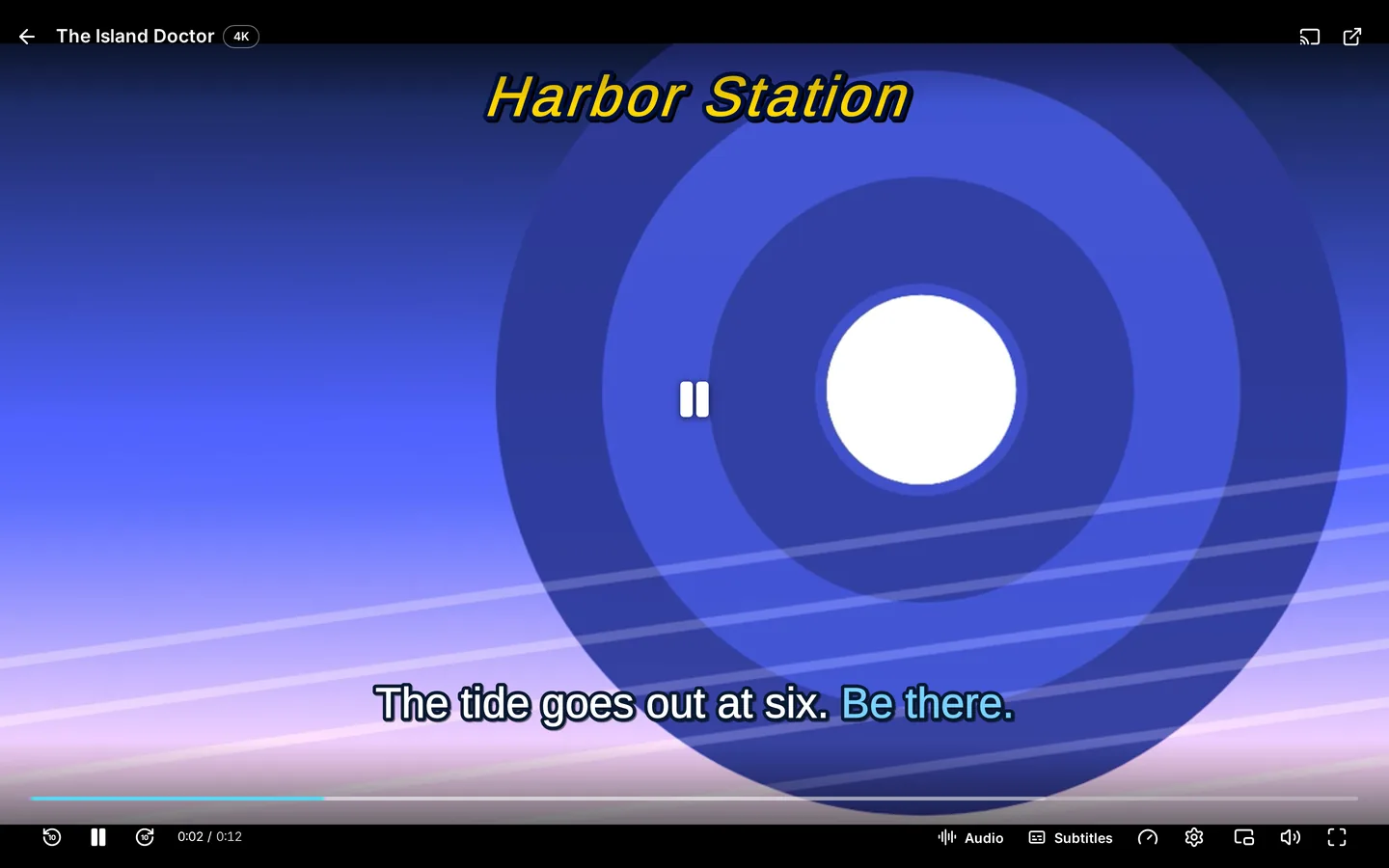
- Picture subtitles are just there. A PGS subtitle is passed on as it is and drawn over the picture in the browser, so a Blu-ray rip with picture subtitles can play in the browser with them on.
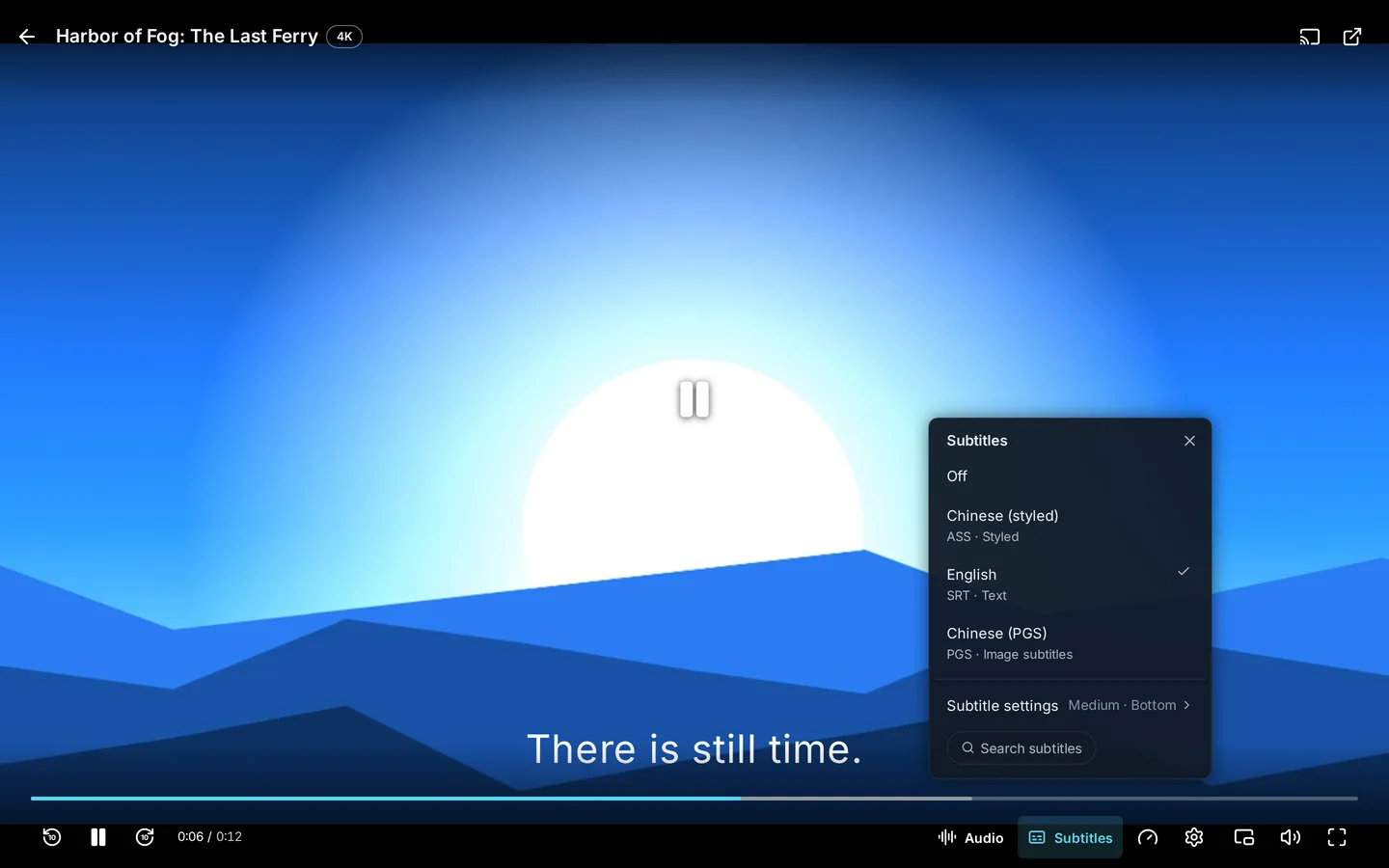
- Text subtitles work in any player. When a player wants a different text format, or a file is saved in an older character encoding such as GBK or Big5, the server fixes it on the way, in a few milliseconds.
- External players keep working. Infuse, SenPlayer, VidHub and other players get the subtitle track in a format they accept, and the video as it is. What they draw is up to them.
What it cannot do yet
Leaving the drawing to the player has a price. Subtitles that come as VobSub or DVB inside a video cannot be shown in the web player yet; use an external player for those files, or put a text subtitle next to the video. And a styled subtitle loses its styling when a player asks for plain text. The subtitles and web player pages list the rest.
The point
A subtitle is a few kilobytes of text or a few small images. It should not cost the server a re-encode of a two-hour film. Kryspal Media keeps the video as it is and leaves the drawing to the player, so a small NAS that can serve a file can serve it with any subtitle on. To see it, try it on your own library.