Dev notes: playing from remote sources
How the server decides to play a file at all is a different story, told in Direct play vs direct stream, explained. A lot of media does not sit on the disk of the server. It is a link in a .strm file, a file on a network drive, or something behind WebDAV. Playing from these places works differently from playing a local file, and most of what we decided is about one thing: asking the source for as little as possible. These notes explain what we do and why.
Sources have limits we cannot see
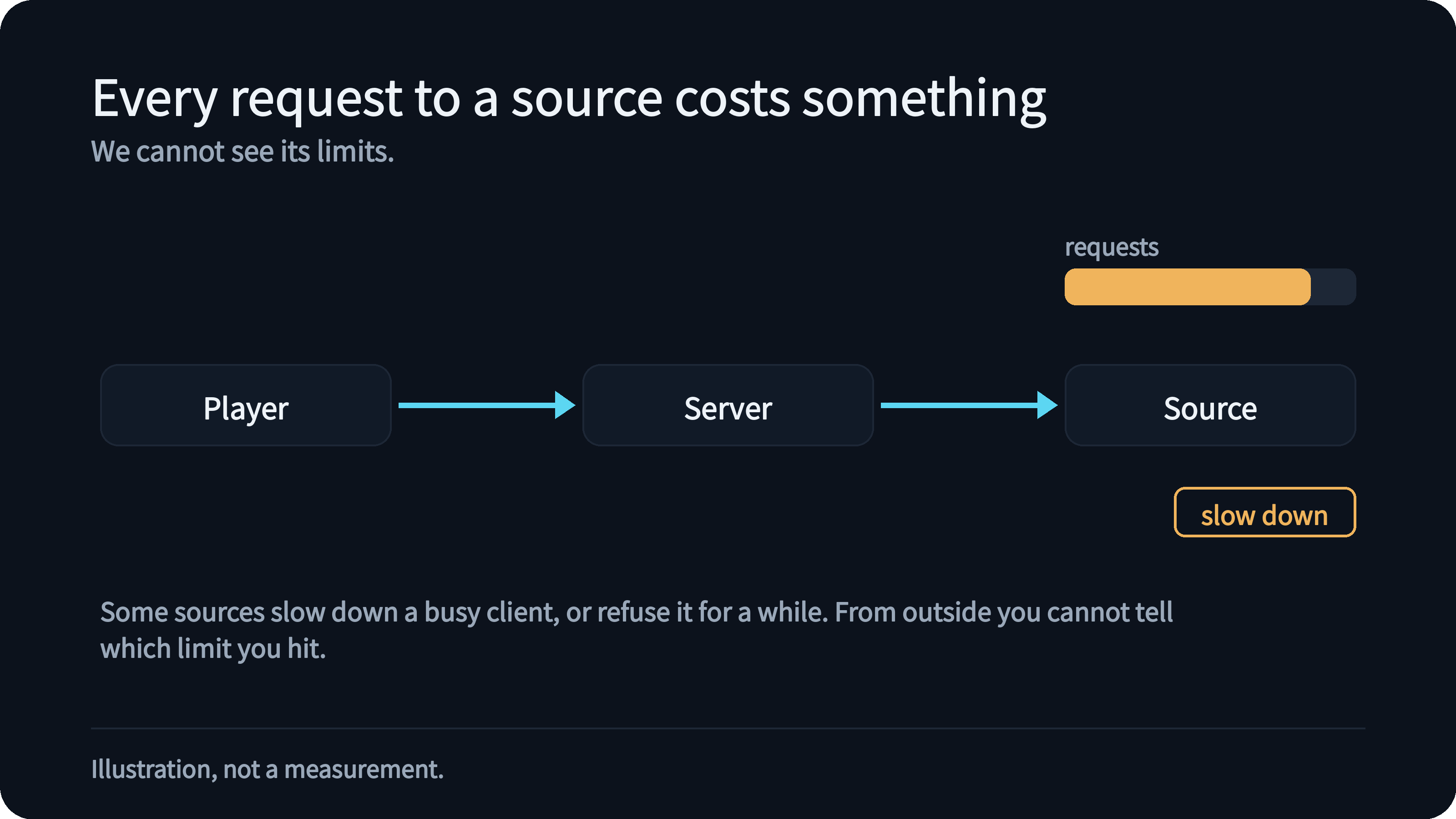
A remote source decides for itself how often it will answer you. Some of them slow down a client that connects too often, or ask for the same file again and again, and a few simply refuse for a while. From the outside you often cannot tell which limit you hit, and a limit that is hit once can make the next ten minutes of someone's movie night worse. So we treat every request to a source as something that costs.
One connection, read to the end
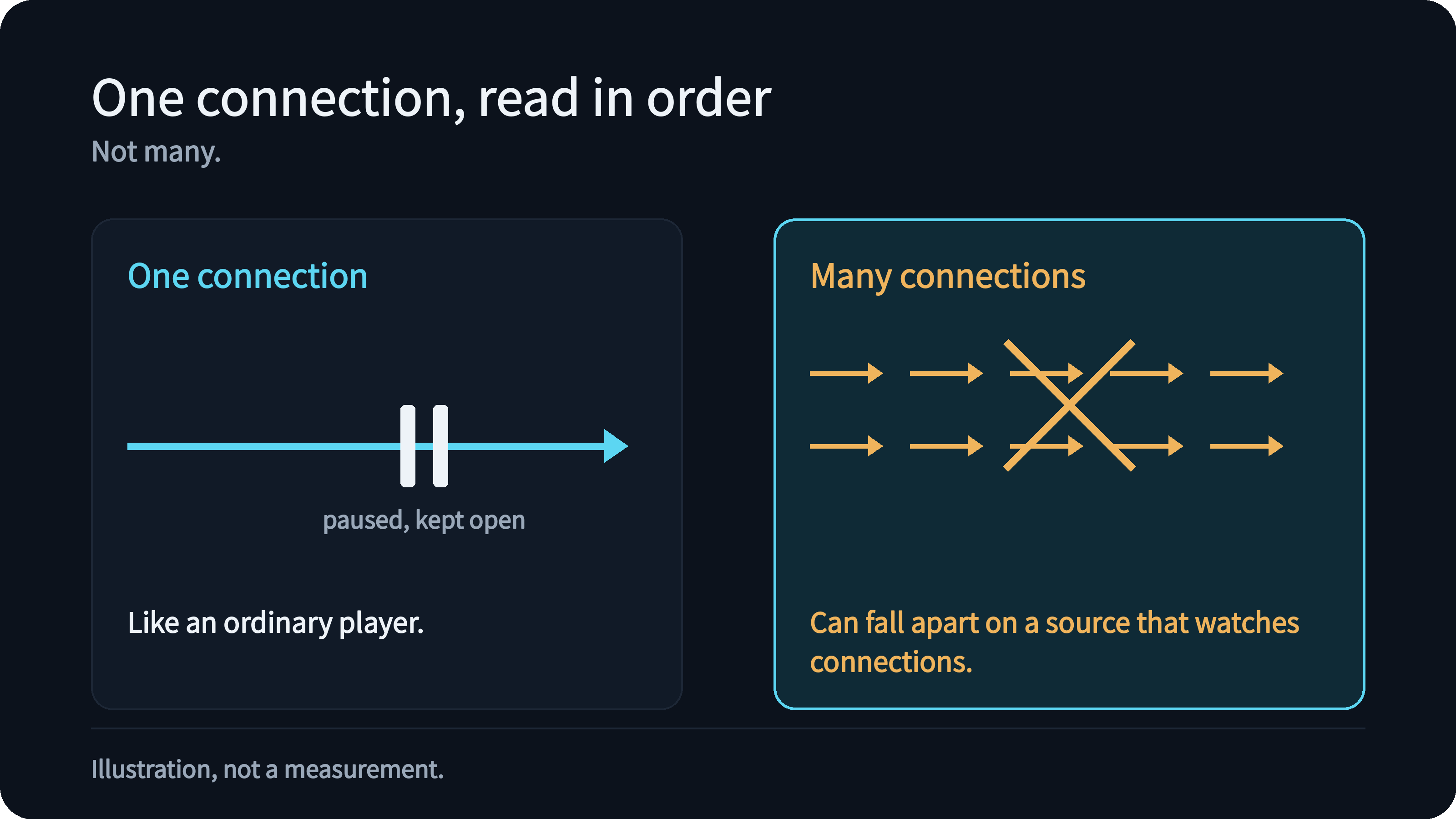
An ordinary player opens one connection to a file and keeps reading it until it has the whole thing, and only opens a new one when you jump to a place it has not read. Our apps read a file the way an ordinary player does: one connection, read in order. When they have read far enough ahead they pause and leave the connection open rather than closing it and opening another one later. A file whose audio and video sit apart, or whose index is at its end, gets a second connection, and each stays where it is instead of one connection jumping back and forth. A jump to a place it has already read and kept, or just a little ahead of where it is reading, needs no new request. When you jump to a part no connection is reading, the apps use a second connection, or close one of the two before they ask for the new place. We modelled it on how ordinary players behave, because a design that opens many connections can work well against a local file and fall apart against a source that watches them.
The server keeps its side of the bargain. While it proxies, one request from the player becomes one request to the source. When the player simply stops reading, for example because you paused, the server does not treat that as the source breaking, and keeps the source connection open for a while. When the player goes away, the server cancels the request to the source at once. For the web player, which sends its HLS stream in small pieces, a jump waits for the previous read to finish before the next one starts. When the server repackages a file as HLS, our apps also ask for its pieces in order, as the web player does.
Proxy by default, redirect when you choose it
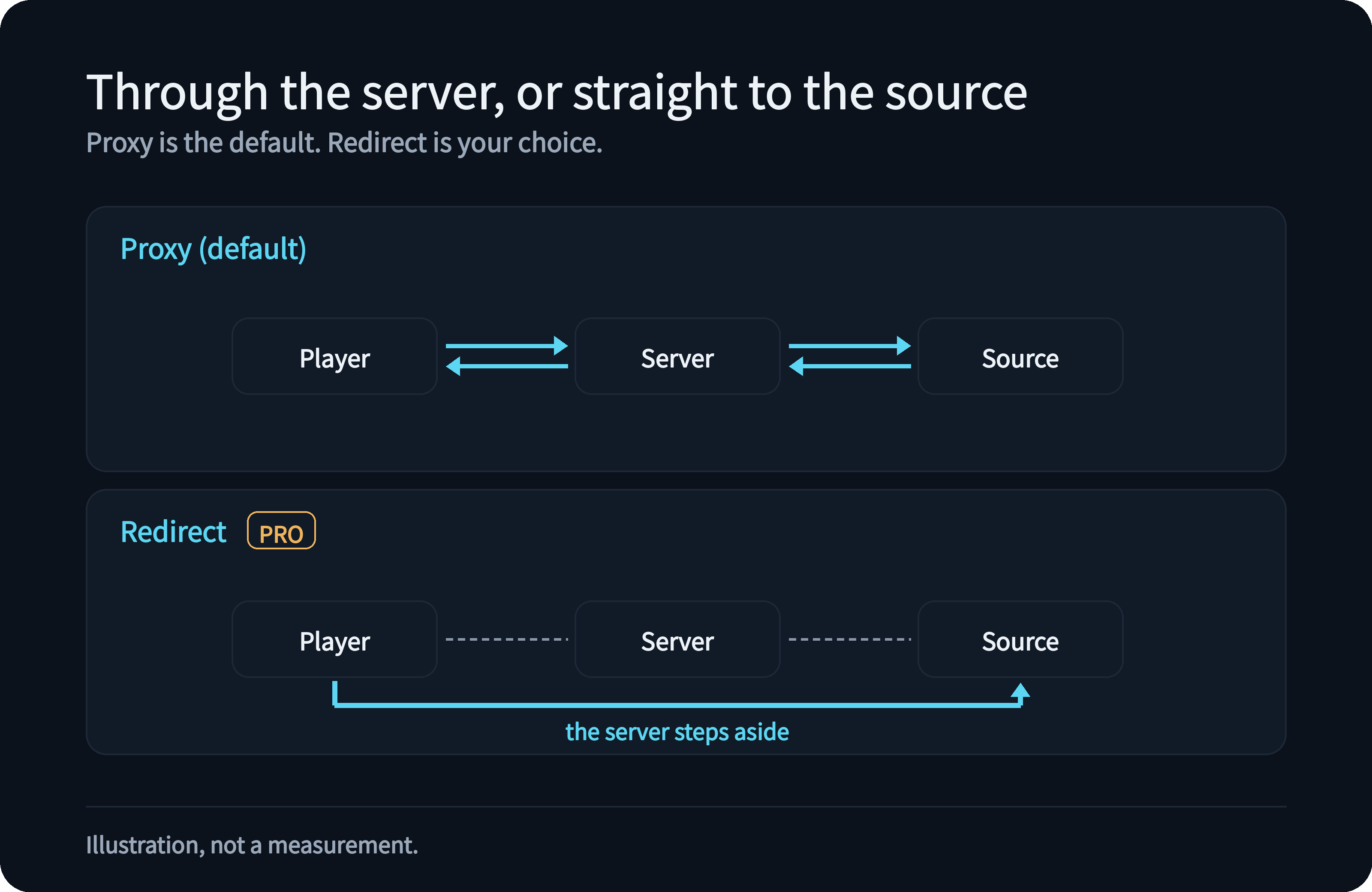
There are two ways to deliver a remote file to a player. With a proxy, the server connects to the source and passes the bytes on. With a redirect, the server tells the player where the file is and steps out of the way: the player connects to the source itself, the data does not pass through your server, and the server makes no request of its own.
Without PRO, a .strm file plays through the proxy, which is the most reliable choice because the player only ever talks to your server. Even then, when the address you gave leads through a gateway to the real file, the proxy remembers the direct link it was sent to, for as long as that link stays valid, so seeking does not ask the source again each time. With StrmTool (PRO), you can redirect the player instead, or redirect on the local network and proxy outside, and the server can look up the link for the player once and remember it.
Some parts always go through the proxy whatever you choose. The web player's repackaged (HLS) streams and reading media information are the server's own work, so the server has to do the reading. Casting is proxied because a TV cannot follow a redirect. When the server cannot tell whether a player is on your local network, it proxies; it redirects only when it is sure. The page on strm and cloud drives describes the options.
What the proxy never passes on
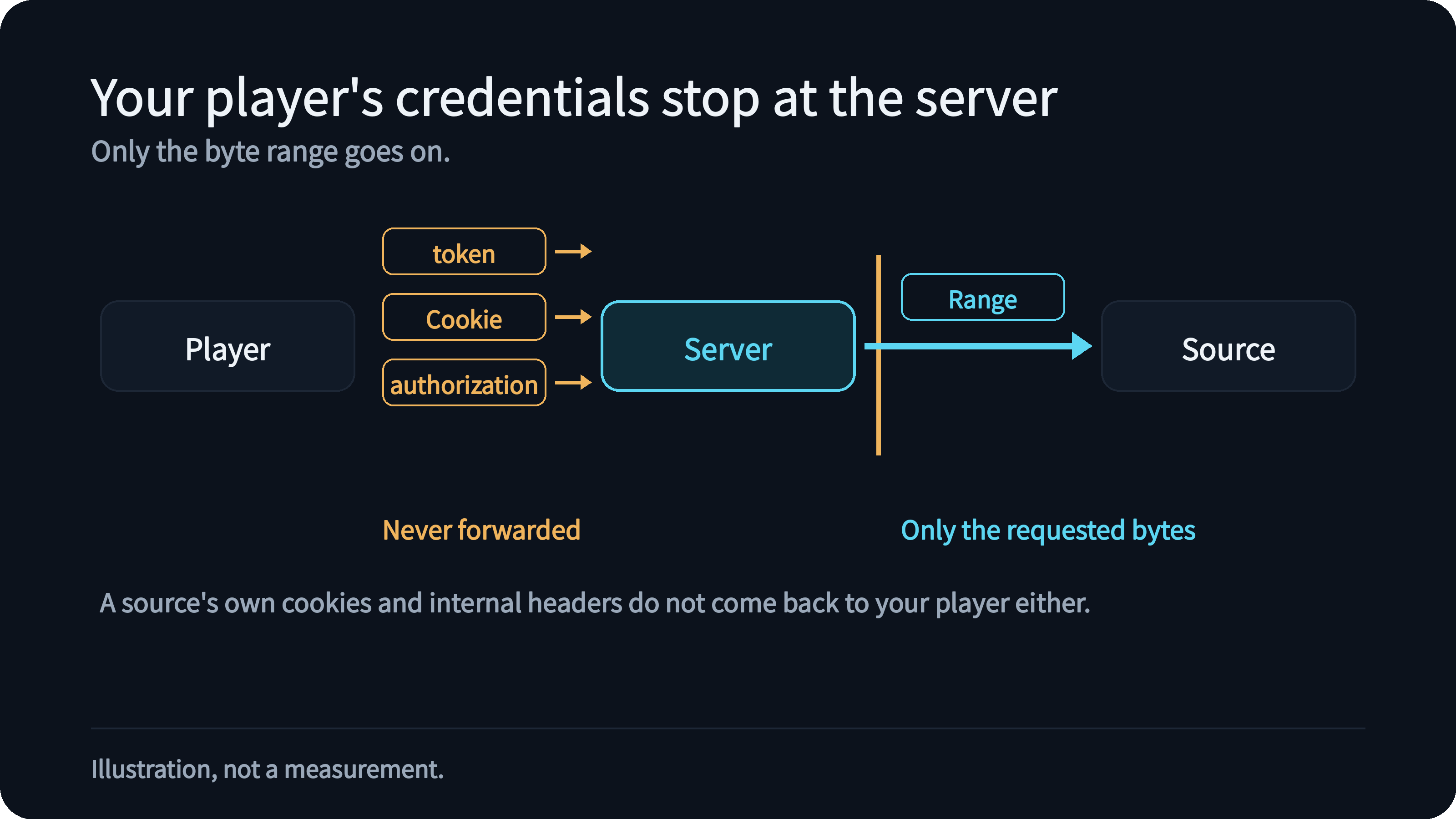
This section is about the proxy. When the server connects to a source on your behalf, it does not send your player's credentials along. The token or cookie your player used to sign in to Kryspal, and any other authorisation header, are never forwarded; from the player, only the range of bytes it asked for goes on. By default the source sees a generic client name; with StrmTool (PRO) an administrator can set a User-Agent or a cookie of their own, and those are sent only to the source's own host.
The other direction is just as strict: a source's cookies and internal headers are not passed back to your player. Addresses that point at the server itself (loopback and link-local addresses) are refused unless you list the host yourself, while sources on your local network are normal and work. We also keep passwords and keys out of the logs: what is written down is the scheme, the host and the path, never the part of the address that may carry a secret.
A small cache on the server
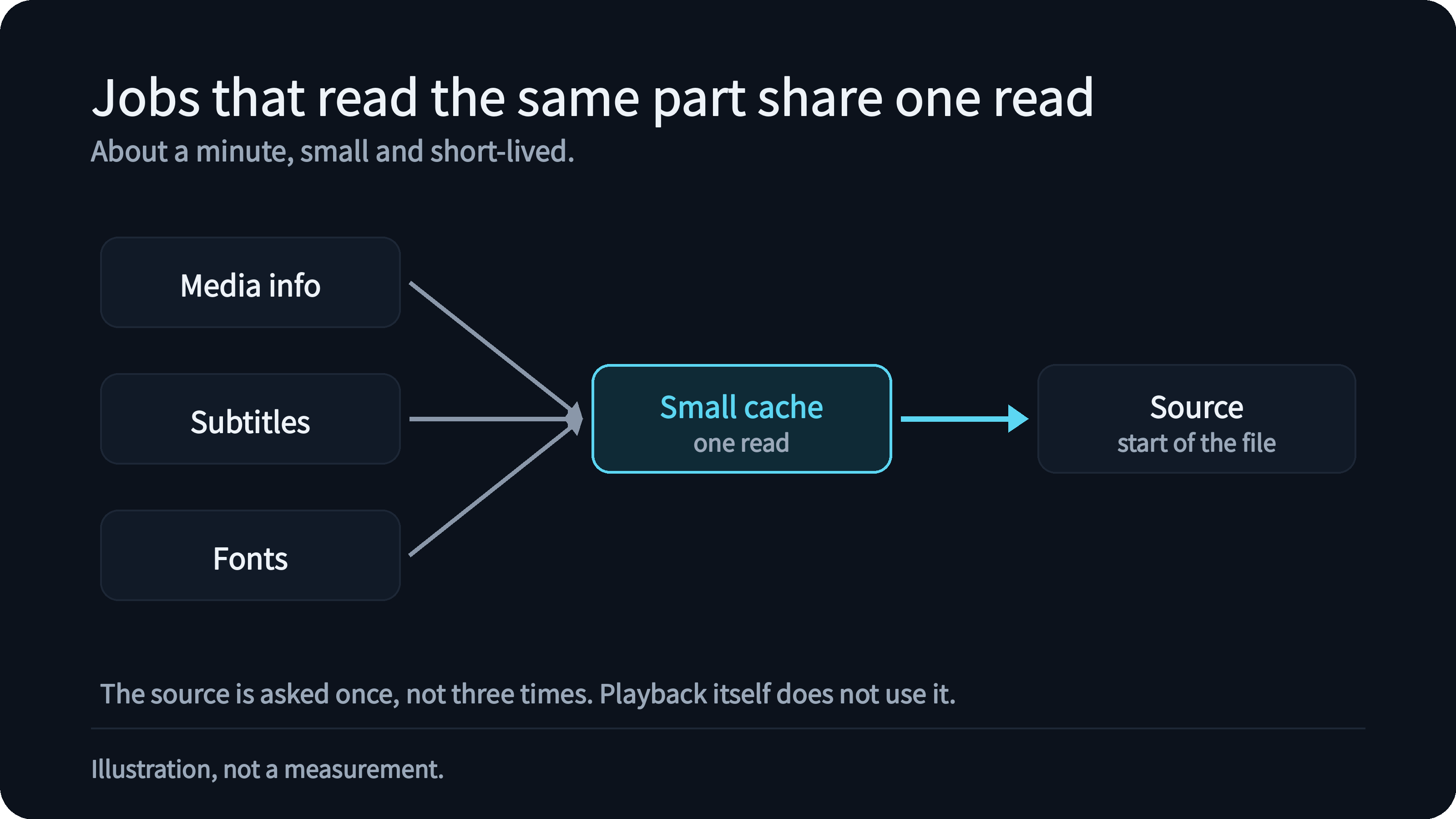
The first bytes of a file are wanted for several reasons at once: reading what is inside it, finding subtitles, loading fonts. When these jobs read the same part of a remote file within about a minute, the server lets them share one read, so the source can be asked once instead of several times. The cache is small and short-lived on purpose, it is not used for playback itself, and it is there to save requests, not to hold your library.
When the connection breaks in the middle
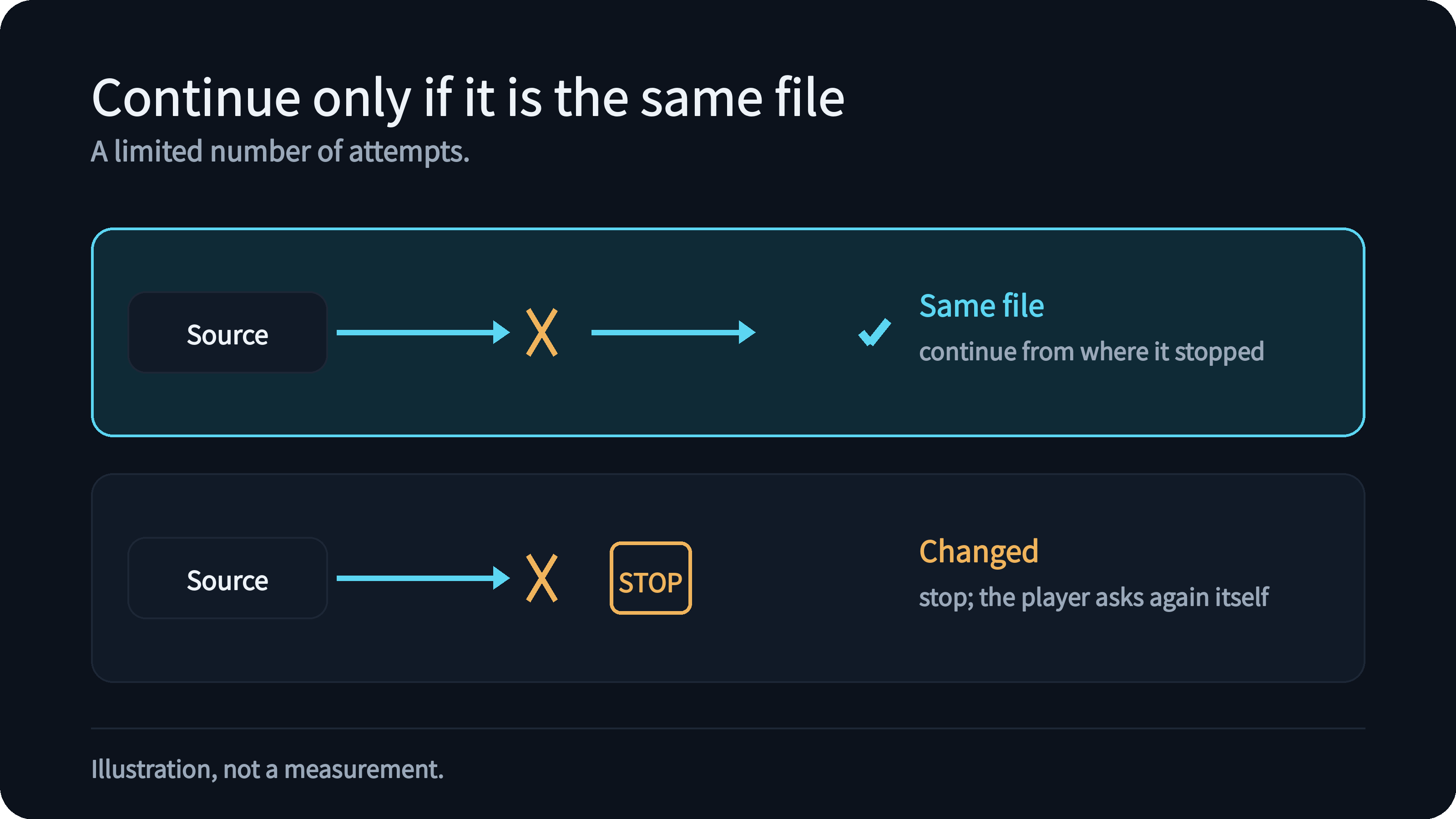
Long files break on the way, and a viewer should not notice. If a connection drops, the server continues from where it stopped, but only when the source gave it a reliable way to know it is still the same file. If the file has changed in between, it stops rather than stitching two versions together, and the player starts a new request itself. The number of attempts is limited.
What we want from this
A remote source should feel like an ordinary file: it starts quickly, seeks well and does not get you into trouble with the service it lives on. When something does go wrong, the server log says what happened at the source.