Slow library scans on cloud drives
Library scans on a cloud drive or network share can crawl, and the first play can hang. One Emby user reports that scanning the same content finished within 20 minutes on a local share but was much slower on OneDrive mounted with rclone, and another saw ffprobe read about 767 MB of a 3 GB file while a scan was still running. Kryspal Media reads only the part of a file that describes it, and WebDAV is built in. This is the second article in a short series on the choices behind Kryspal Media.
Why library scans are slow on network storage
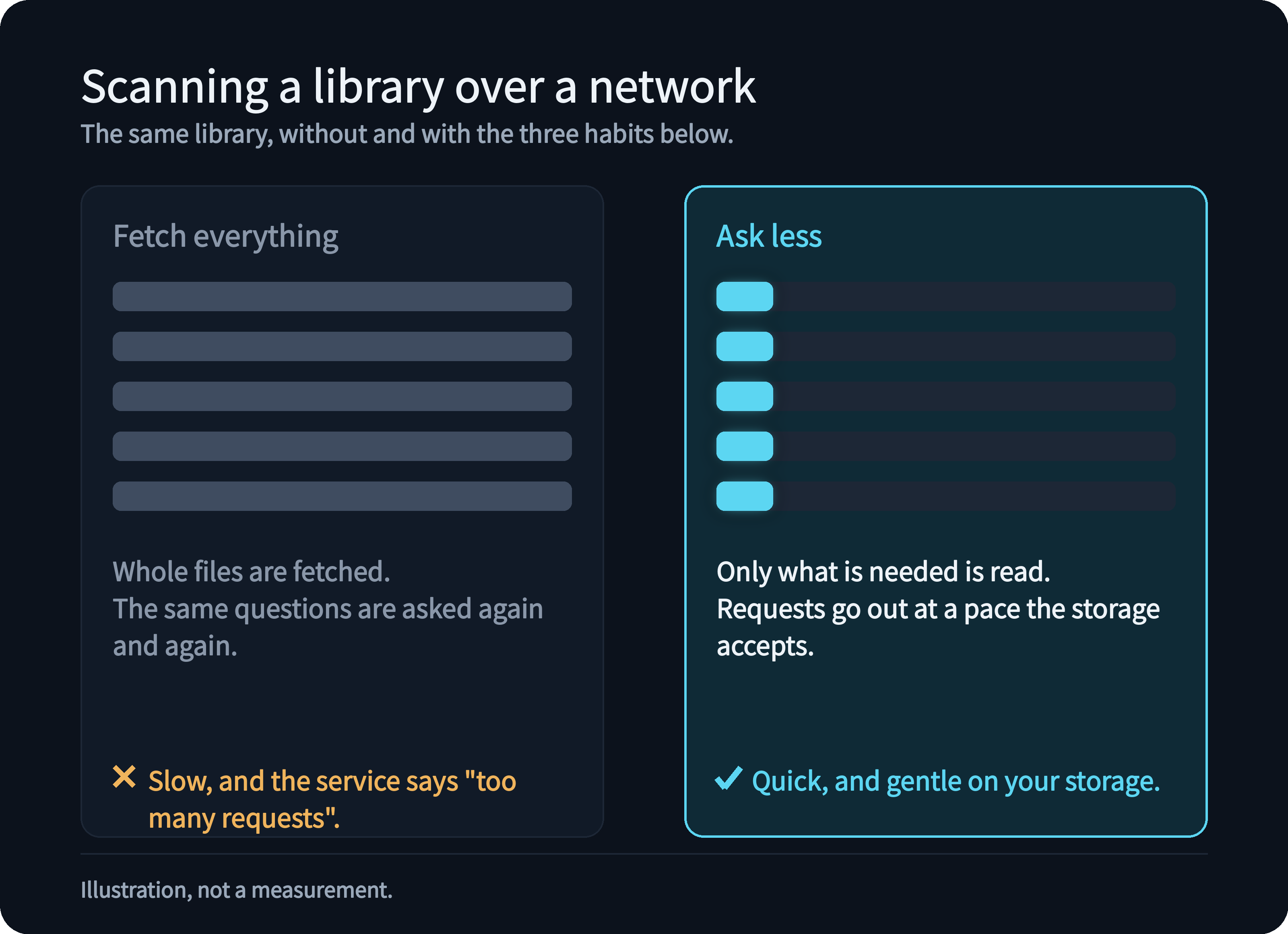
Over a network, every read is a request, and every request costs a round trip, some bandwidth and a count against the service's rate limit. A media server needs the tracks, codecs, duration and chapters of every file; fetching whole files, or asking again and again, turns tens of thousands of videos into hours of traffic. The fix is to ask less: read only what is needed, only when it is needed, at a pace the storage accepts.
Reading only what is needed, not the whole file
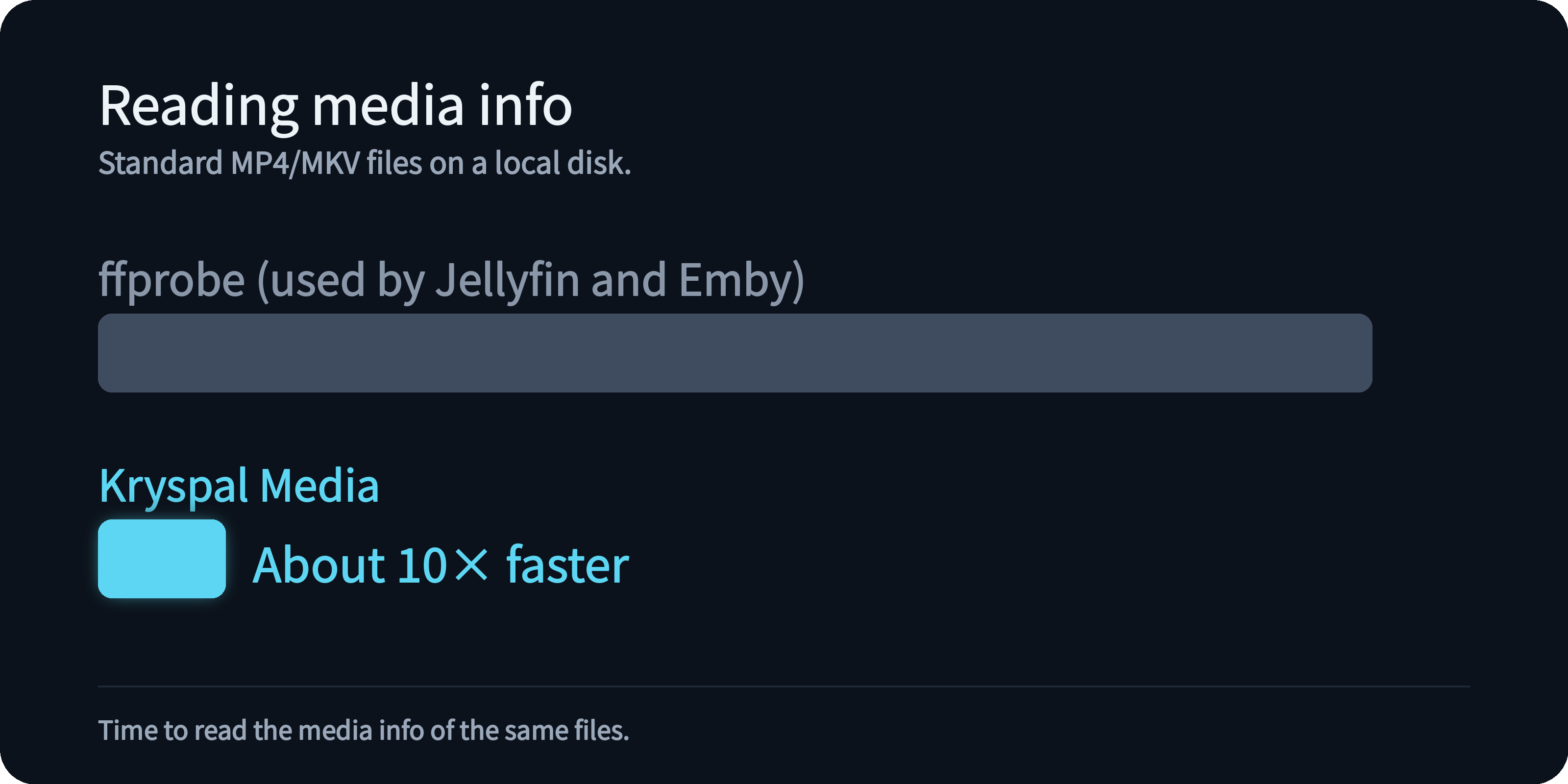
Kryspal Media reads only the part of a file that describes it, never the video data, and never writes to the file. It does the same for a file on a local disk and a file on remote storage. Jellyfin and Emby use ffprobe to read media info; on the same standard MP4 and MKV files on a local disk, Kryspal Media is about 10× faster than ffprobe, and about 18× faster on 4K files. Kryspal Media can also read the main feature's duration, audio tracks and subtitles straight from a Blu-ray ISO or BDMV folder; handing an ISO directly to ffprobe does not give you that information (more on Blu-ray discs).
WebDAV built in and free, works with rclone
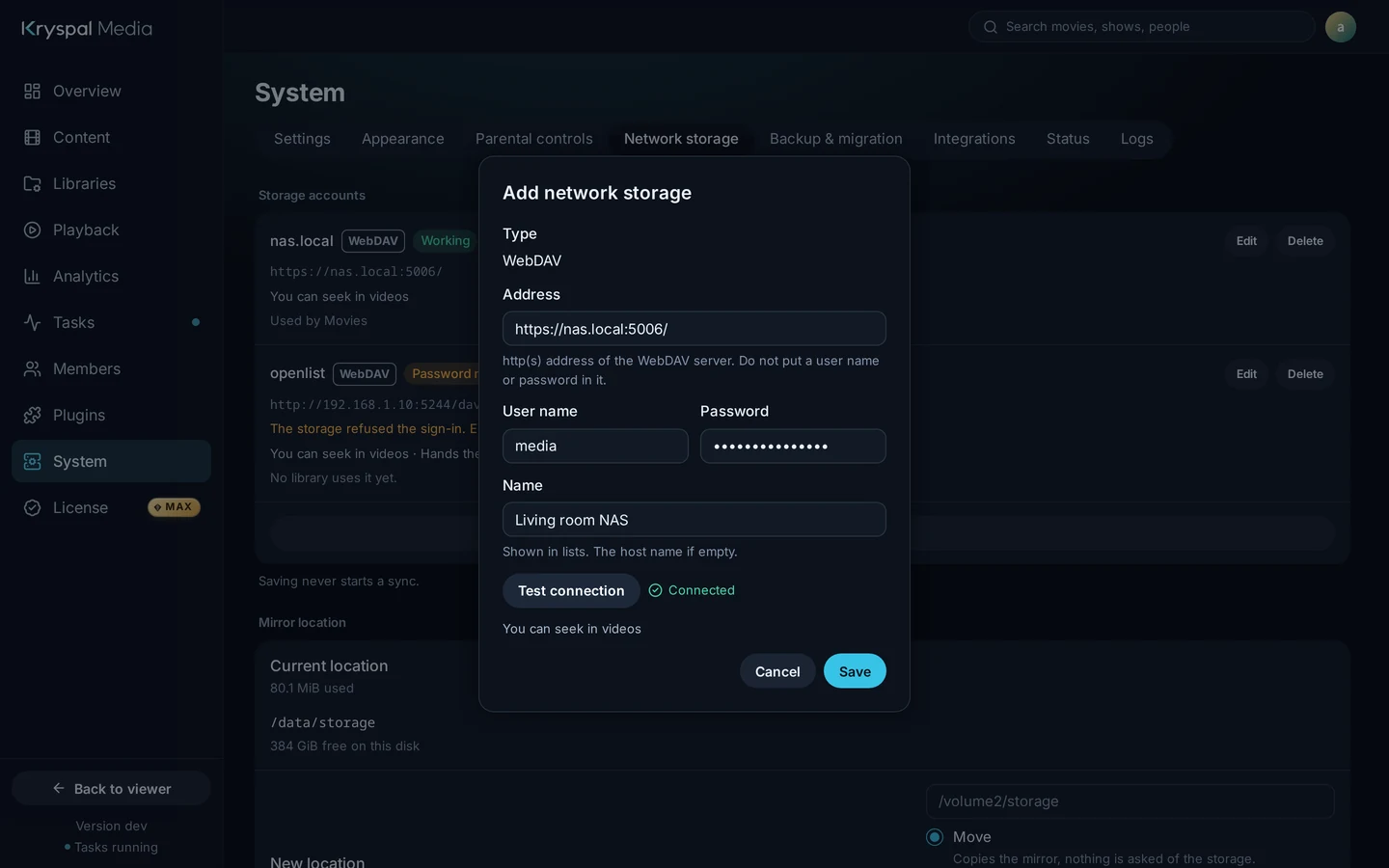
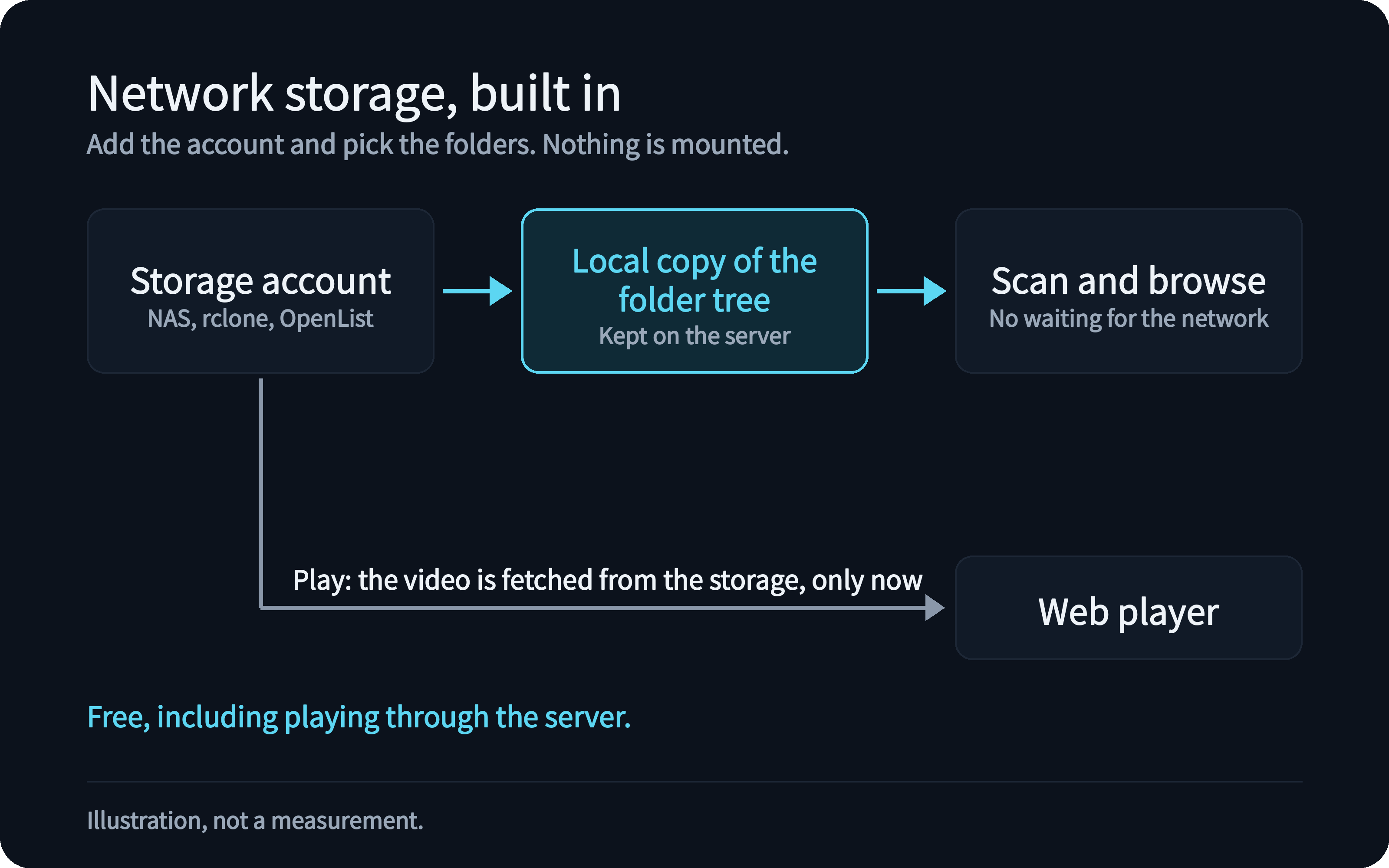
A library can live on another machine over WebDAV, the protocol a NAS, a file sync server, and an rclone or OpenList gateway all speak. You add the account and pick the folders, and nothing is mounted. The server keeps a local copy of the folder tree, so scanning and browsing do not wait for the network, and a video is fetched only when you play it. Network storage libraries are free, and so is playing them through the server.
Requests at a pace the storage accepts
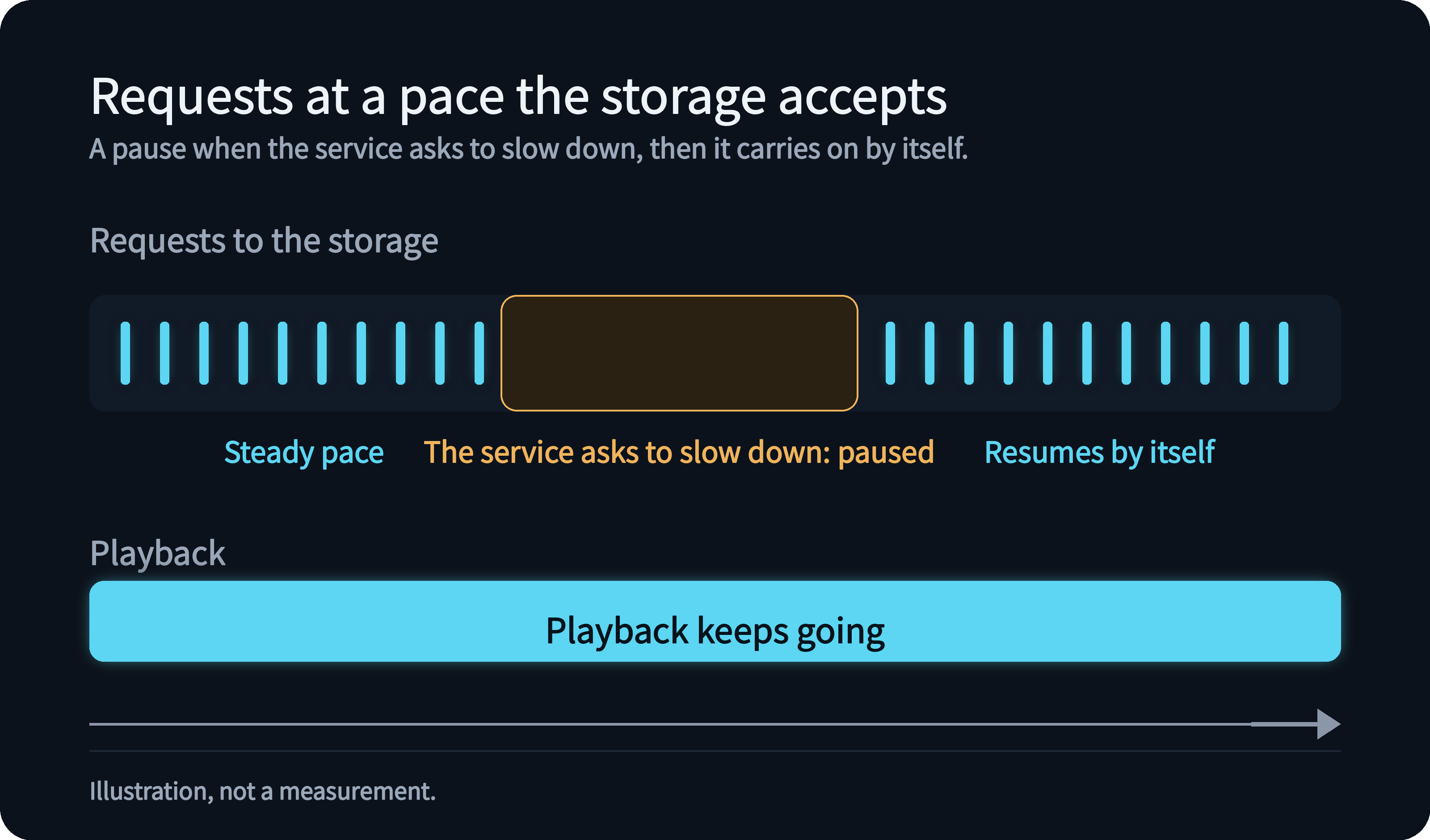
When the storage service asks the server to slow down, the account pauses by itself and resumes later, and playback is not paused. For cloud-drive libraries you choose when media info is read: during the scan, in the background, or on first play. If the storage cannot be reached or suddenly lists far fewer files, your library is kept as it is and nothing is marked missing.
Quick scans that only look at folders
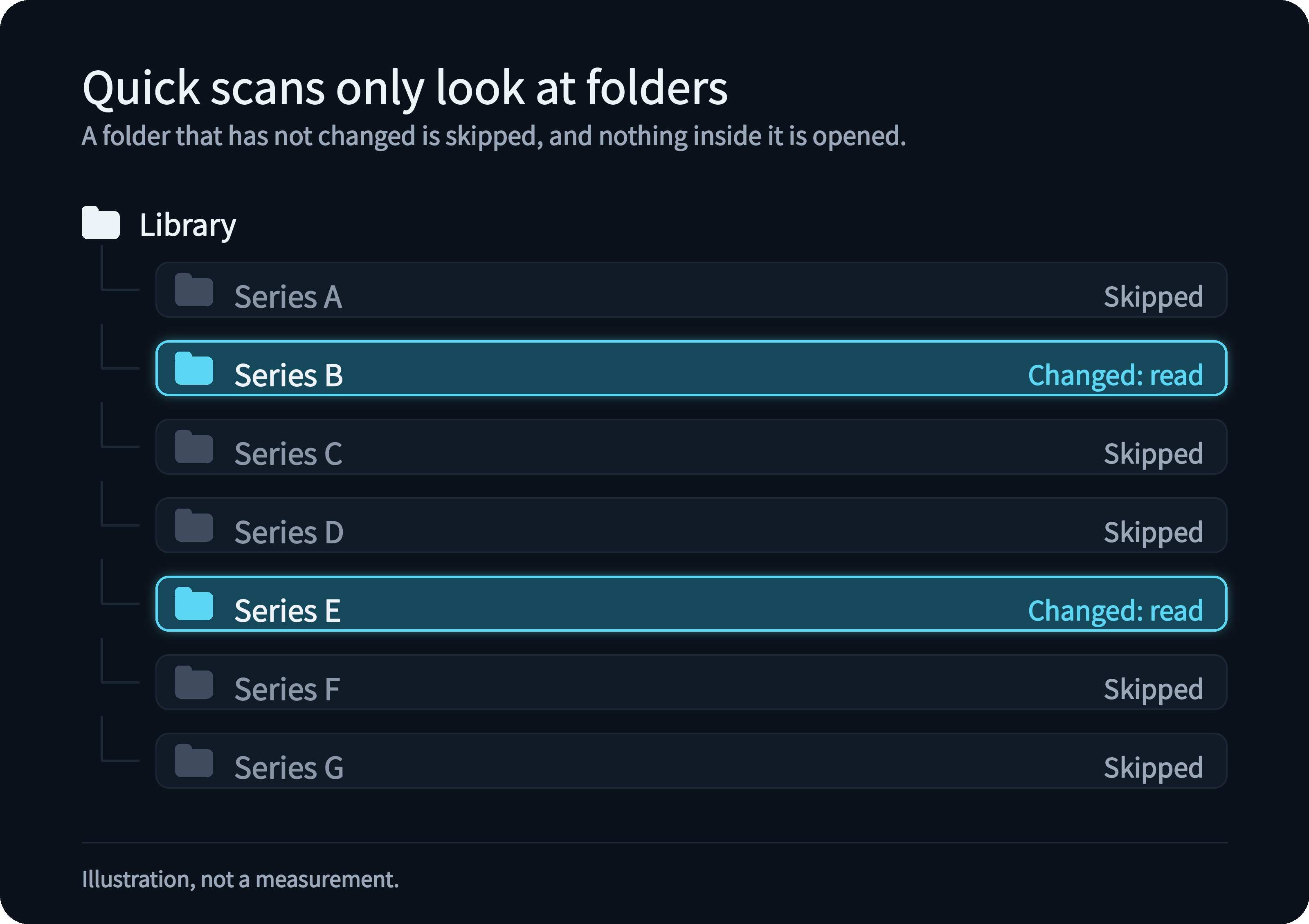
A scheduled quick scan looks only at folders whose modification time has changed; a folder that has not changed is skipped, and the files inside it are not opened.
.strm files and cloud drives
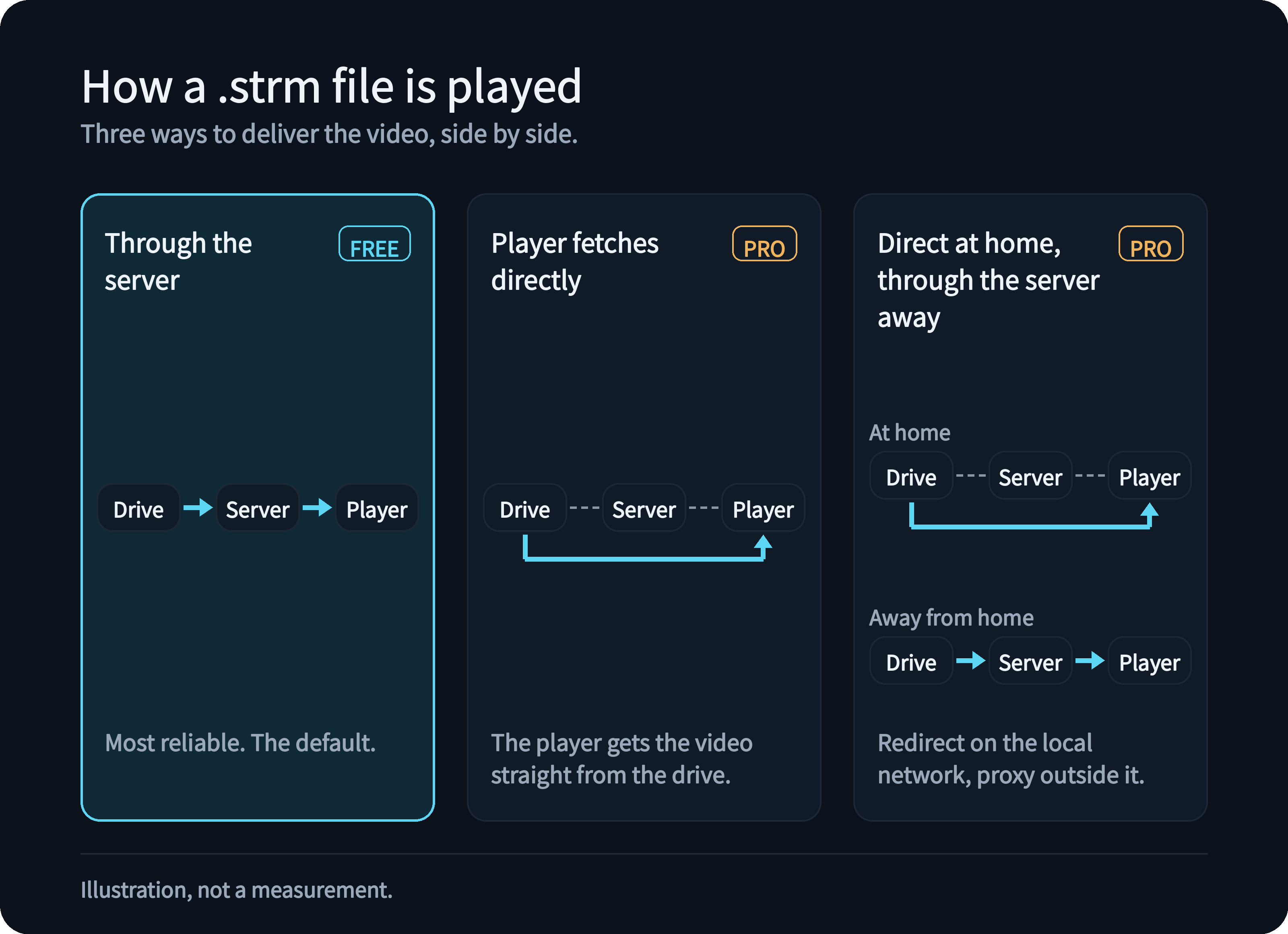
A .strm file is a small text file that points to a video elsewhere. By default the server proxies the video, which is the most reliable way and is free. With PRO, the player can fetch the video straight from the drive, or the server can redirect at home and proxy away from home. A direct link cache stops seeking from triggering a new request each time, and media info can be read ahead of time, for example for the next episode. The trade-offs of proxying and redirecting are on the strm page.
.strm file.Add a network storage library
Add a network storage library, or read how .strm files work. If you came here for speed with a big library, start with how Kryspal Media stays fast, and install it with Docker to try it next to your current server.