Direct play vs direct stream, explained
Press play in Kryspal Media and the server has to answer one question: how does this file reach this player? There are three possible answers (direct play, direct stream, and audio-only conversion), and a fourth thing that never happens: re-encoding the video. This post explains how the server chooses, what each player has to tell it, and why a few things, such as subtitles, never change the answer.
Direct play, direct stream and audio-only conversion
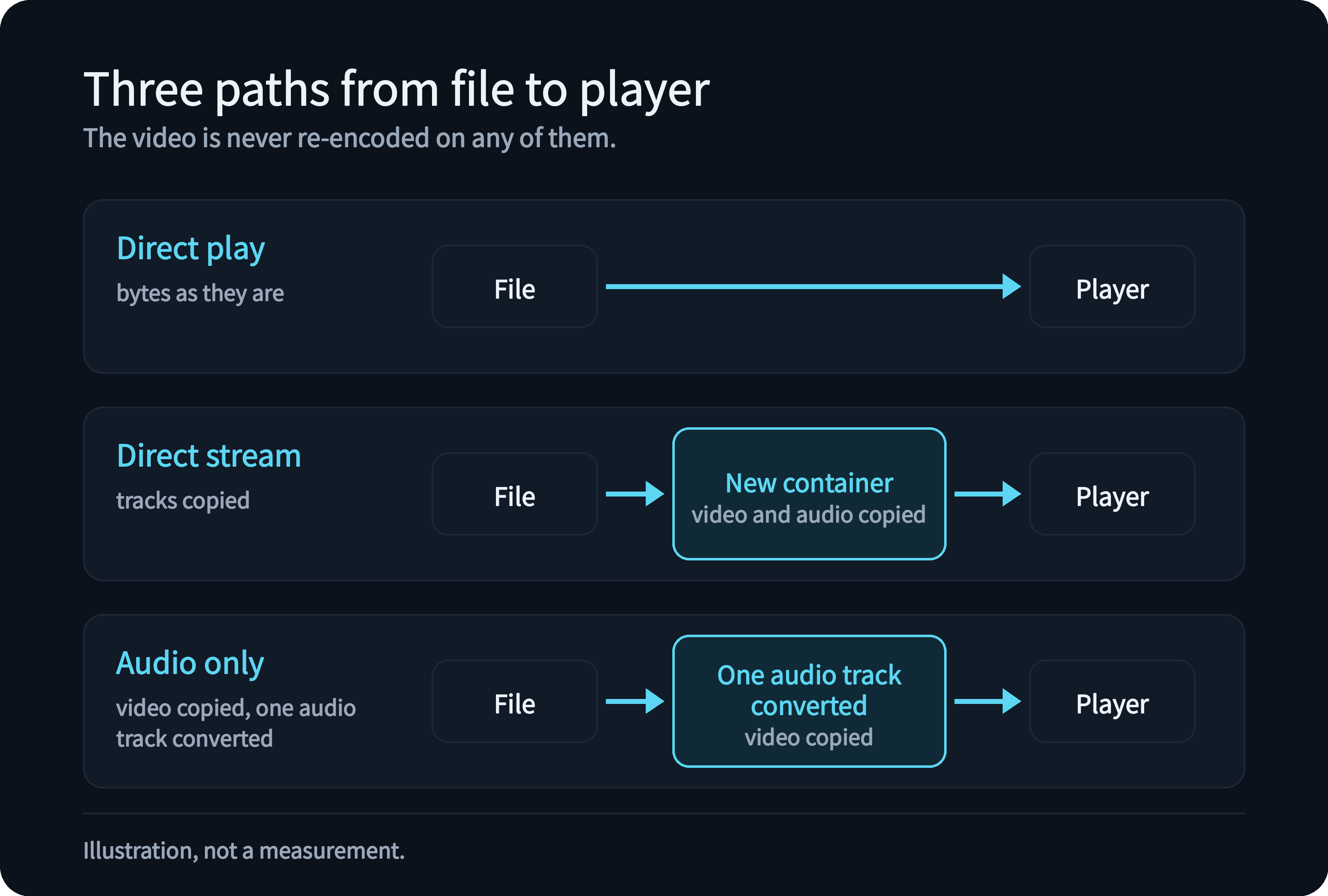
Direct play means the player reads the file as it is. The server only sends bytes, so the picture, the audio and the subtitles arrive exactly as they are stored. This is how Infuse, SenPlayer, VidHub and our own apps normally play, and how the web player plays whatever the browser can open.
Direct stream means the server changes only the container, the "box" the tracks sit in, and copies the video and audio inside it untouched. A browser that cannot open an MKV file, for example, can still play it when the same tracks are repackaged as HLS. Nothing is decoded and nothing is re-encoded.
Audio-only conversion is mainly for the web player. If a browser cannot play one audio track, such as DTS or TrueHD, the server converts only that track to a format the browser understands and still copies the video. In a few cases our own apps also receive a lossless track converted to lossless FLAC. Third-party players never get this: they decode audio themselves, so they are never asked to.
Why the video is never re-encoded
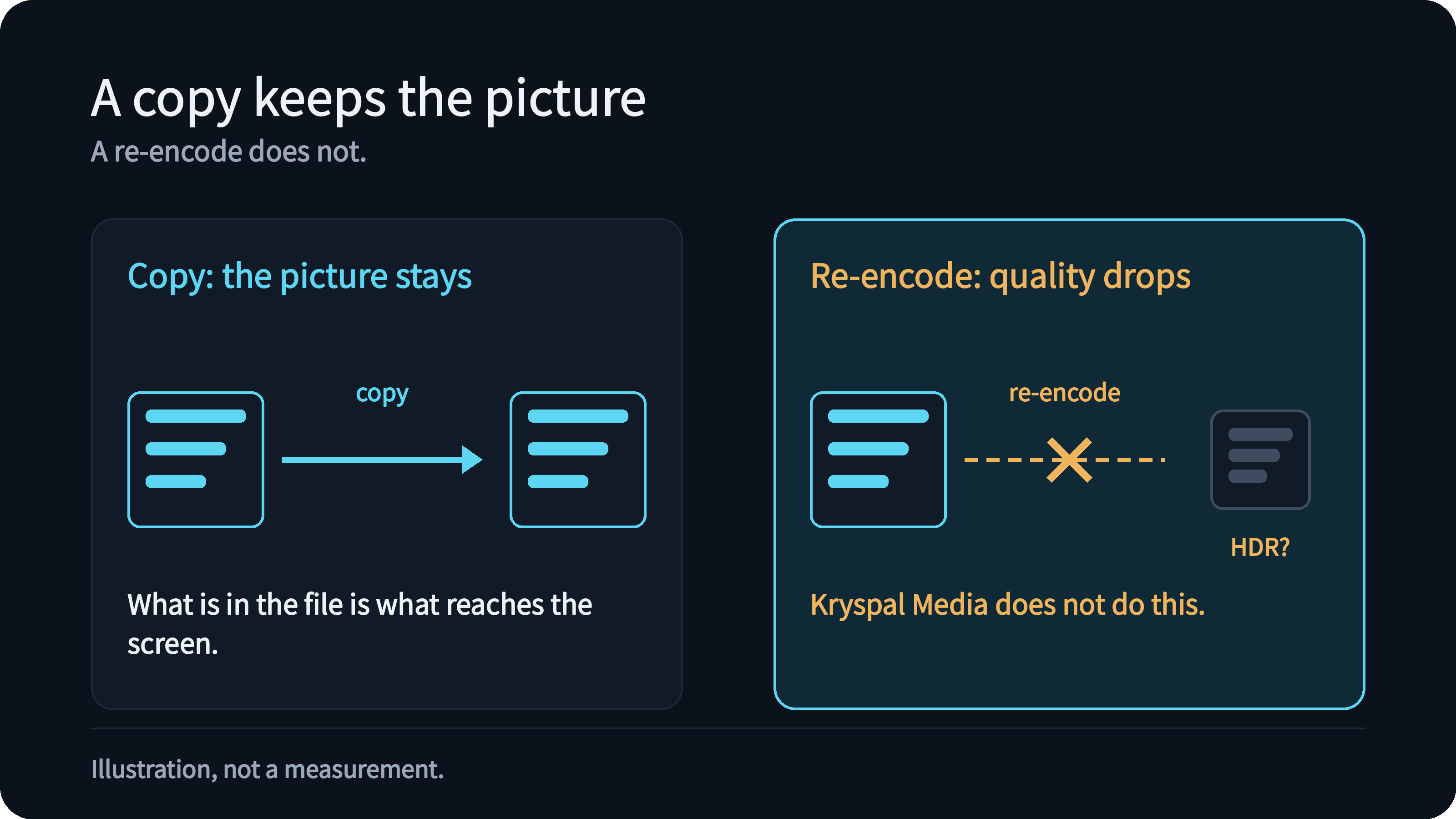
Re-encoding video is what makes a media server hungry for CPU and GPU. It is also the moment the picture gets worse: a 4K remux turns into whatever a bitrate setting allows, and HDR information can be lost. Kryspal Media leaves it out, so what is in the file is what reaches the screen, and a modest NAS can serve it.
The price is clear. The player must be able to decode the video itself. When it cannot, Kryspal Media tells it so instead of quietly sending something worse.
How the server decides
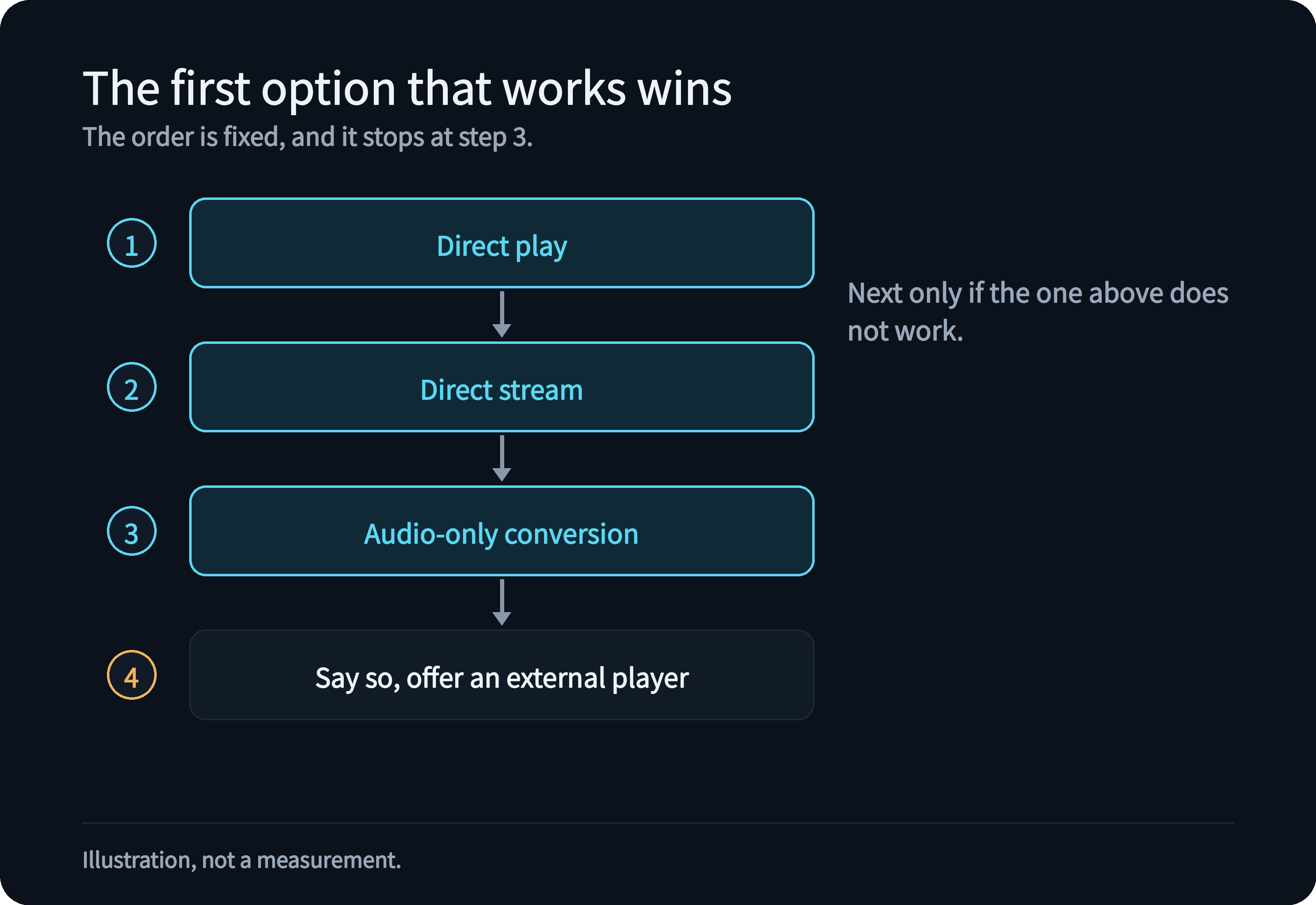
Every client reports what it can play: which containers, which video and audio formats, whether it can open an HLS stream. The server compares that with what is in the file, version by version, and picks the first option that works:
- direct play, when the player can open the file and decode everything in it;
- direct stream, when only the container is the problem;
- audio-only conversion, when only one audio track is the problem and the player is the web player or one of our apps;
- otherwise, say so and offer another way to open it, such as an external player.
The order is fixed. The server never reaches for a heavier option when a lighter one works, and it never goes beyond step 3.
What different clients tell the server
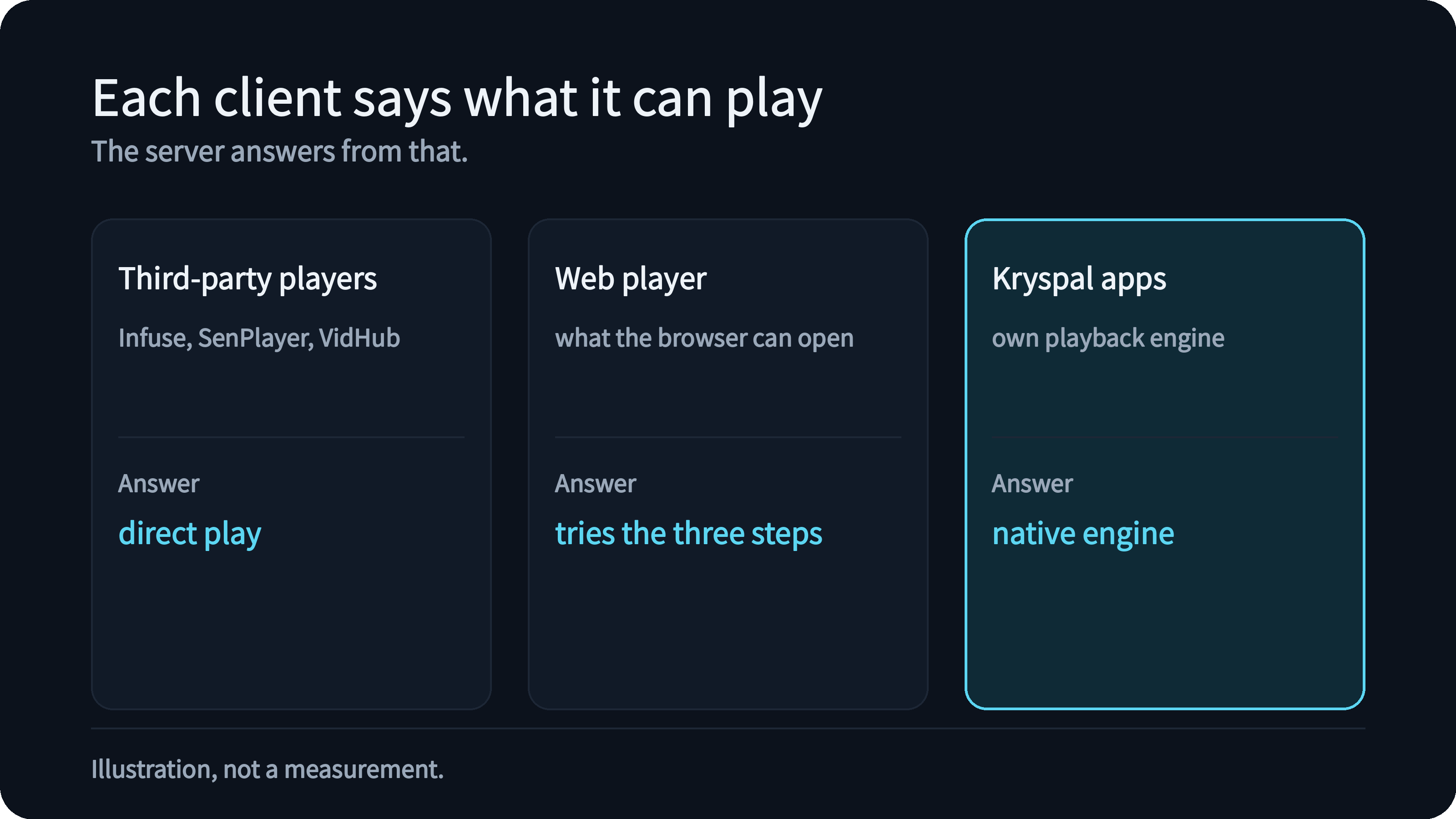
Third-party players such as Infuse, SenPlayer and VidHub bring their own decoders, so for almost every file the answer is direct play. A few players ask for HLS themselves when a file has a very high bitrate; they get a repackaged stream with the tracks copied, and no audio conversion. If a player says it cannot show a kind of video the file contains, the server answers that there is no compatible way to play it, so the player can say so instead of showing a picture with sound only.
The web player reports what the browser can open and tries the three steps in order. Administrators can switch audio-only conversion off; it is on by default. When none of the steps work, the web player offers to open the file in an external player.
The Kryspal apps report what their own playback engine can do. Like other native players, such as Infuse and SenPlayer, they handle more containers and codecs than a browser does.
Why subtitles never change the choice
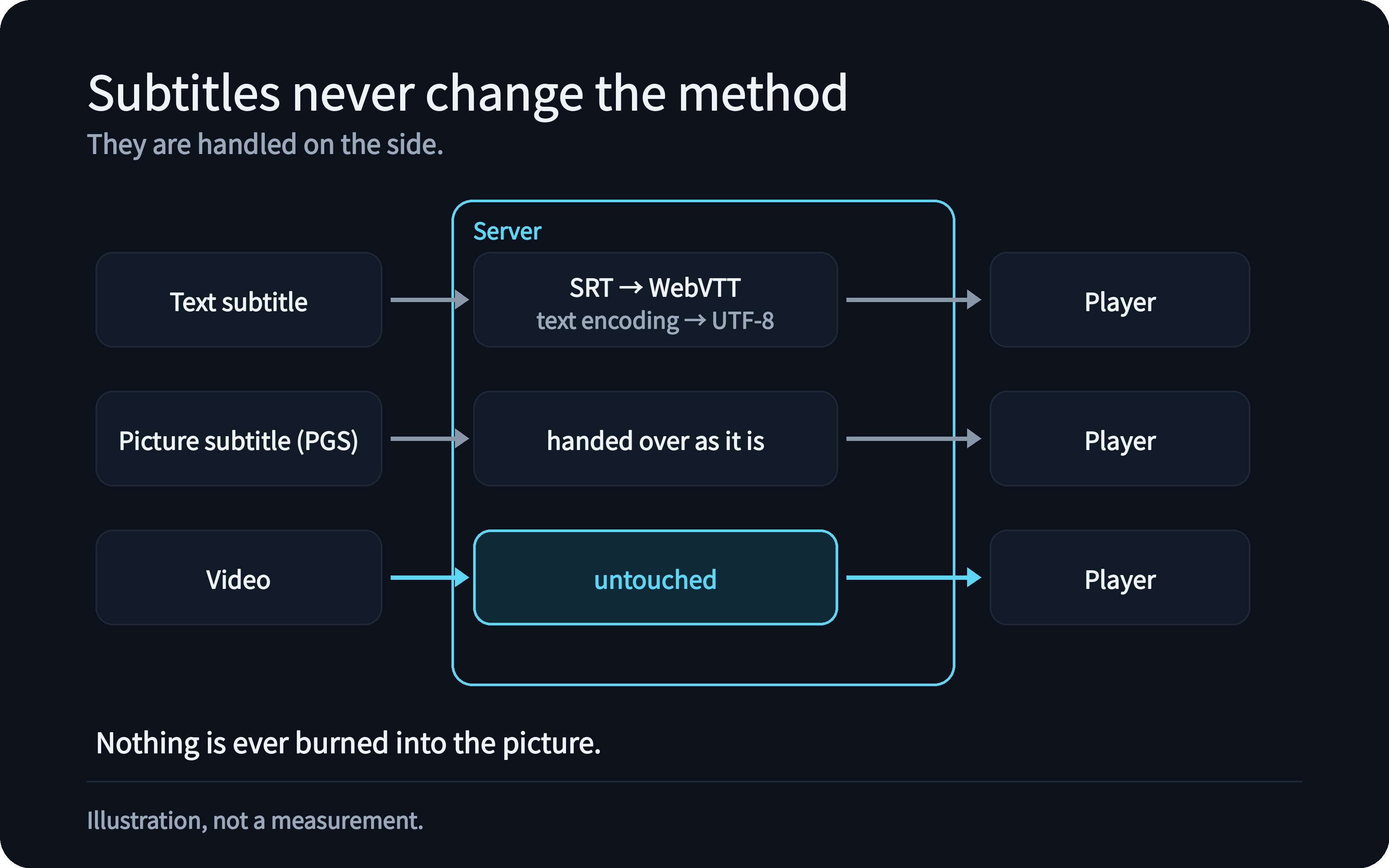
Subtitles are not part of the decision at all. Text subtitles (SRT, ASS and similar) are converted inside the server when a player asks for a different format or an older text encoding, which takes a moment and needs no video work. Picture subtitles, such as PGS from Blu-ray discs, are handed over exactly as they are, without conversion or recognition. Nothing is ever burned into the picture.
This is why turning a subtitle on or off never sends you from direct play to a different method, and never makes the server busy.
What you see in practice
- On a third-party player, the file plays as it is. If the player cannot decode something in it, you get a clear message, not half a movie.
- In the browser, you will see direct play for formats the browser knows, a repackaged stream for the rest, and in some cases converted audio. The picture is always the file's own.