Tailscale remote access, no open ports
You want to watch your library from a hotel, a friend's place or a train, without opening a port on your router and without buying a domain. Kryspal Media 0.9.18 does this with a Tailscale plugin. It is free on every plan.
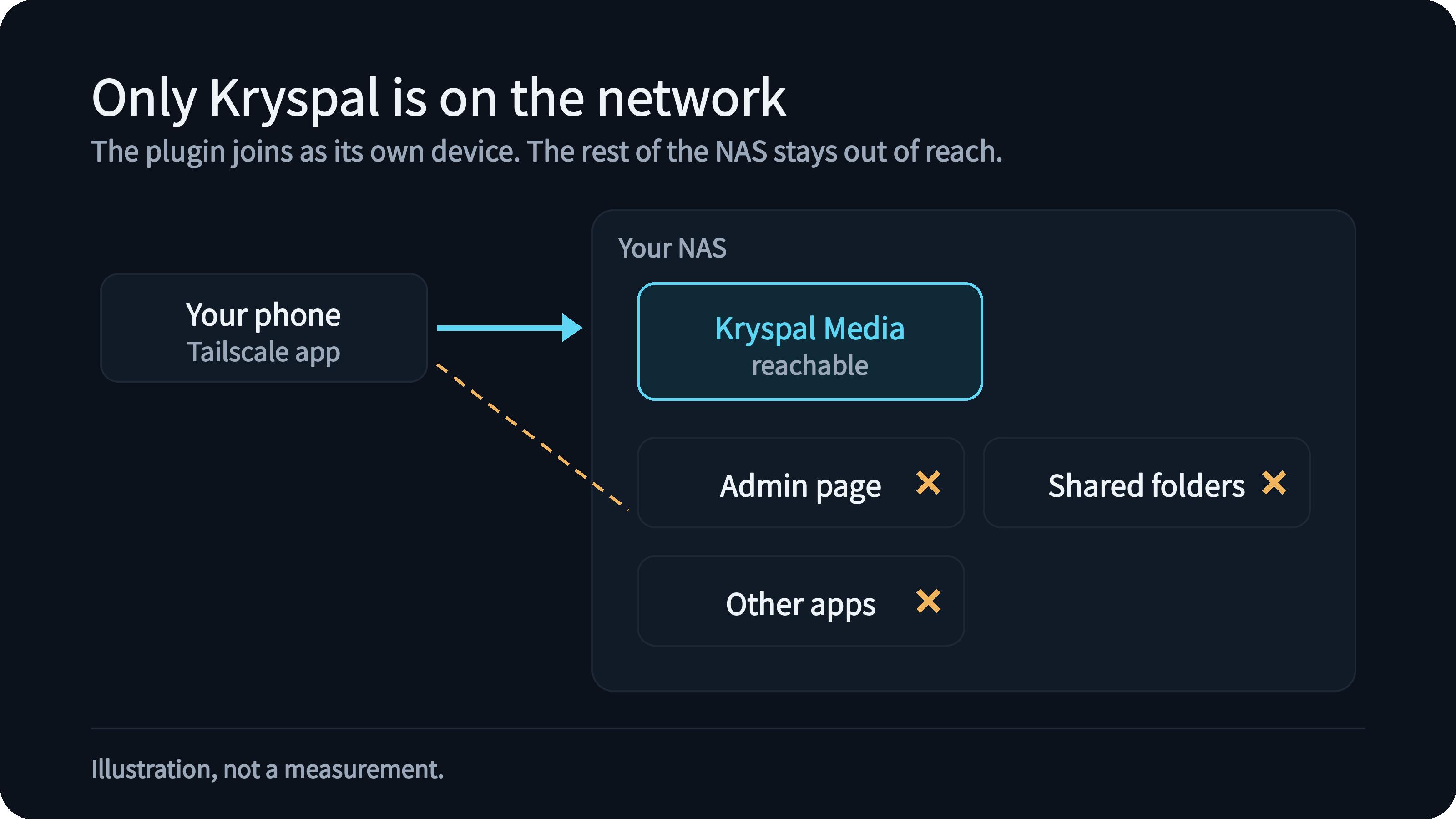
Only Kryspal is shared, not your NAS
The plugin runs inside Kryspal Media and joins your Tailscale network as its own device. Only Kryspal is reachable over it. The rest of your NAS (its admin page, its shared folders, other apps) is not. This matters most when you share access with a friend: they can reach your library and nothing else.
No ports, no domain, a real https address
Nothing on your router changes. Kryspal gets an https address on your Tailscale network and requests its certificate automatically, so players connect over a normal secure address with no certificate warning.
Turn it on
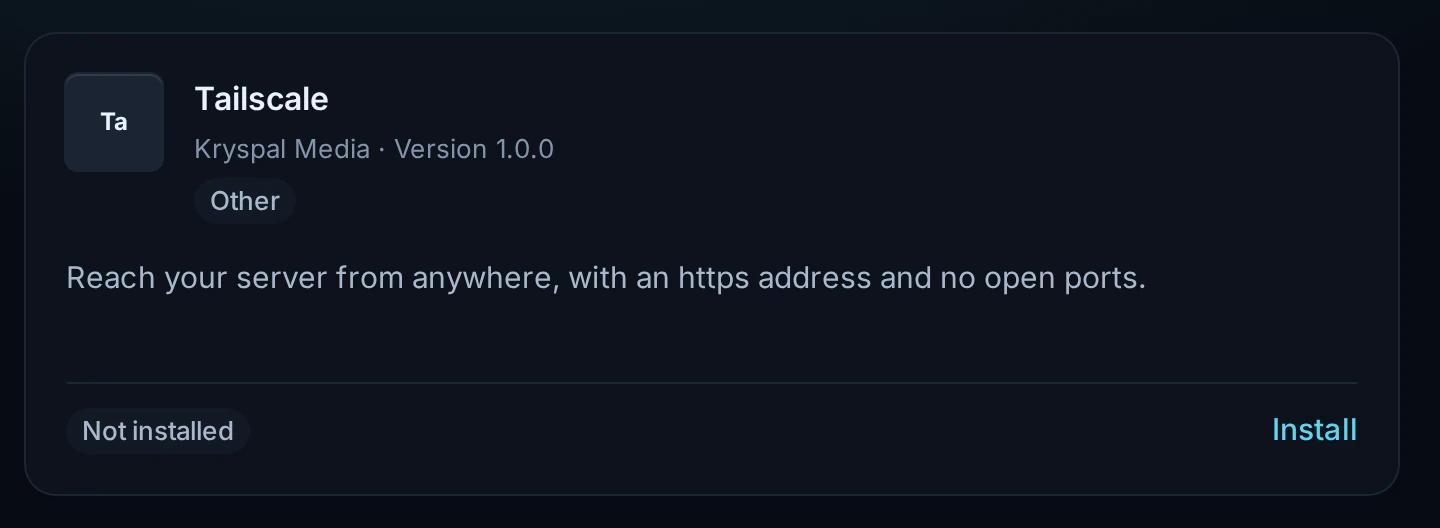
- In Plugins → Marketplace, install the Tailscale plugin.
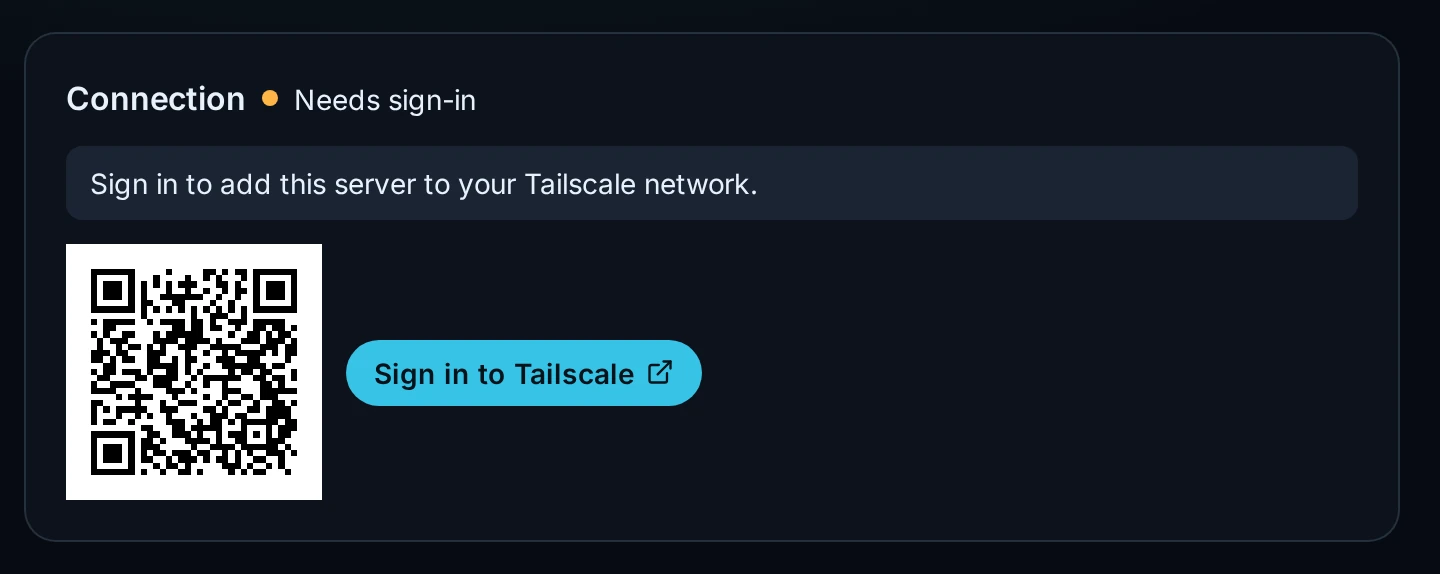
- Open the plugin's settings. At the top, the Connection block shows a sign-in button and a QR code; use them to sign in and approve the server in your Tailscale account.
- When the block shows Connected, the https address is ready. Copy it, or scan its QR code. System → Network lists the same address.

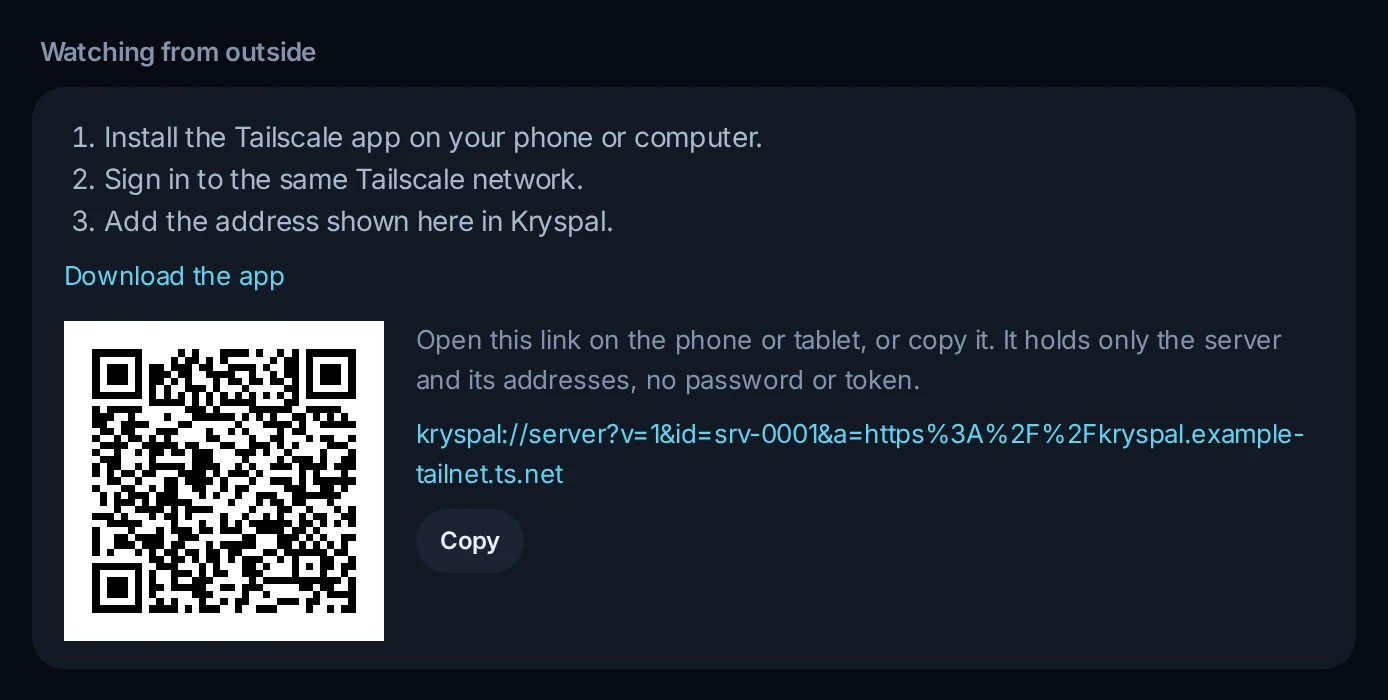
On your phone, install the Tailscale app, sign in to the same network, and add the address to your Kryspal app. The Watching from outside card in each member's settings (Security) lists these steps and carries the QR code, so you can hand them to family as they are.
Sign in without a password
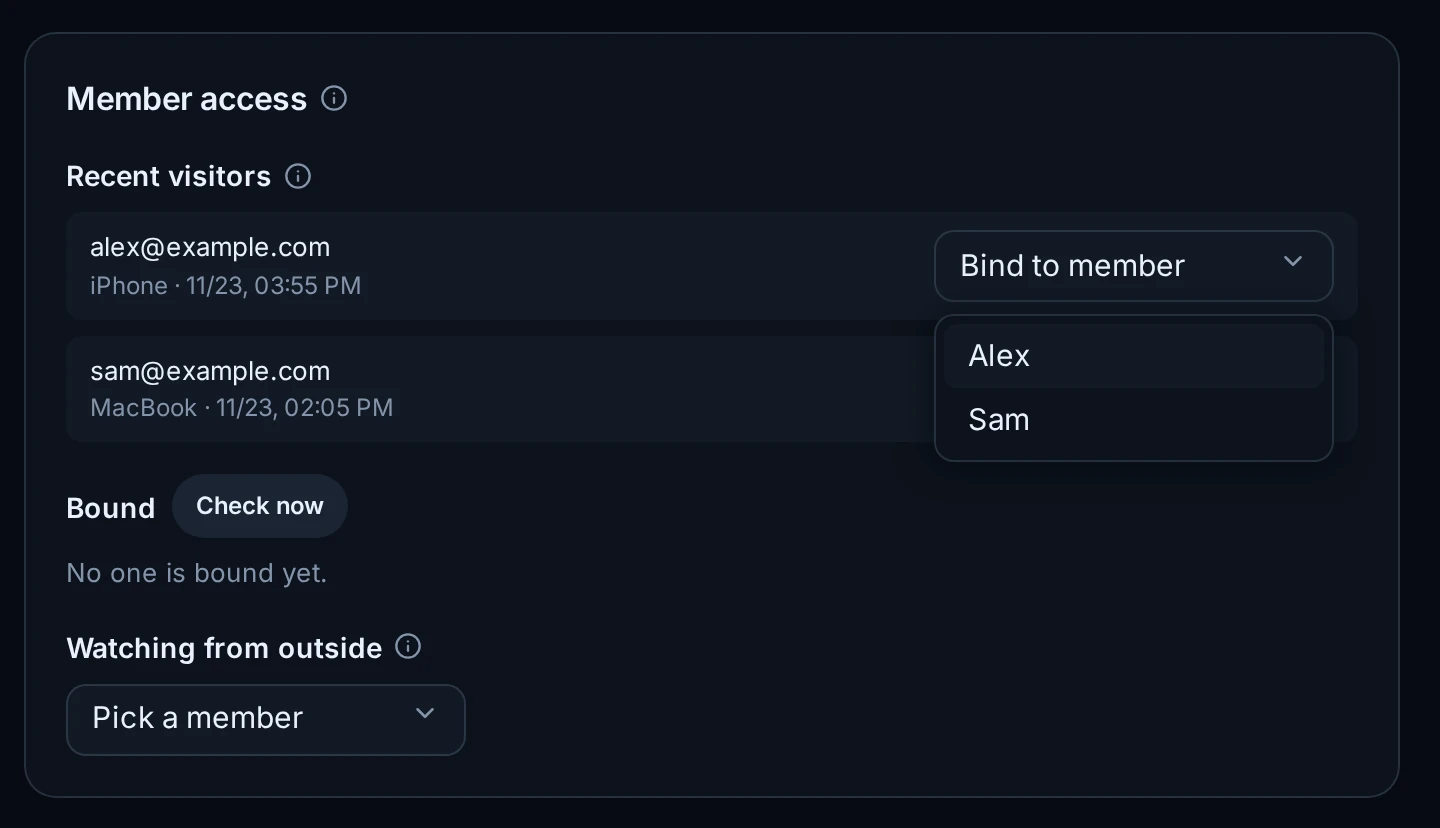
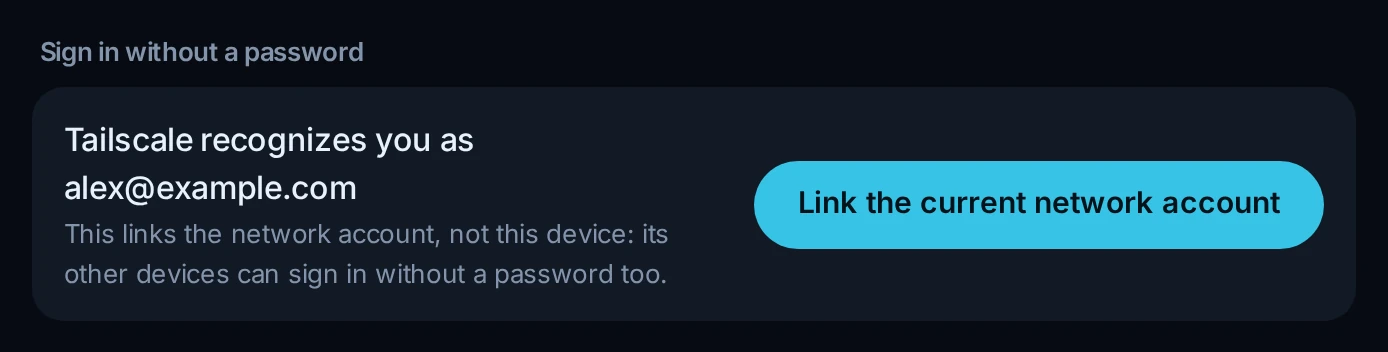
Over Tailscale the network already knows who is connecting, so Kryspal can use that instead of a password. An administrator links a Tailscale account to a member (in the plugin's settings, under Member access), or members link their own: signed in through Tailscale, they open Security → Sign in without a password, choose Link the current network account and confirm with their password, or their PIN if they have one. Anyone who has connected recently shows up in a list, so linking takes one tap and no typing of email addresses.

Administrator accounts always sign in with a password. If you want passwordless viewing for yourself, create a viewing member and link that one.
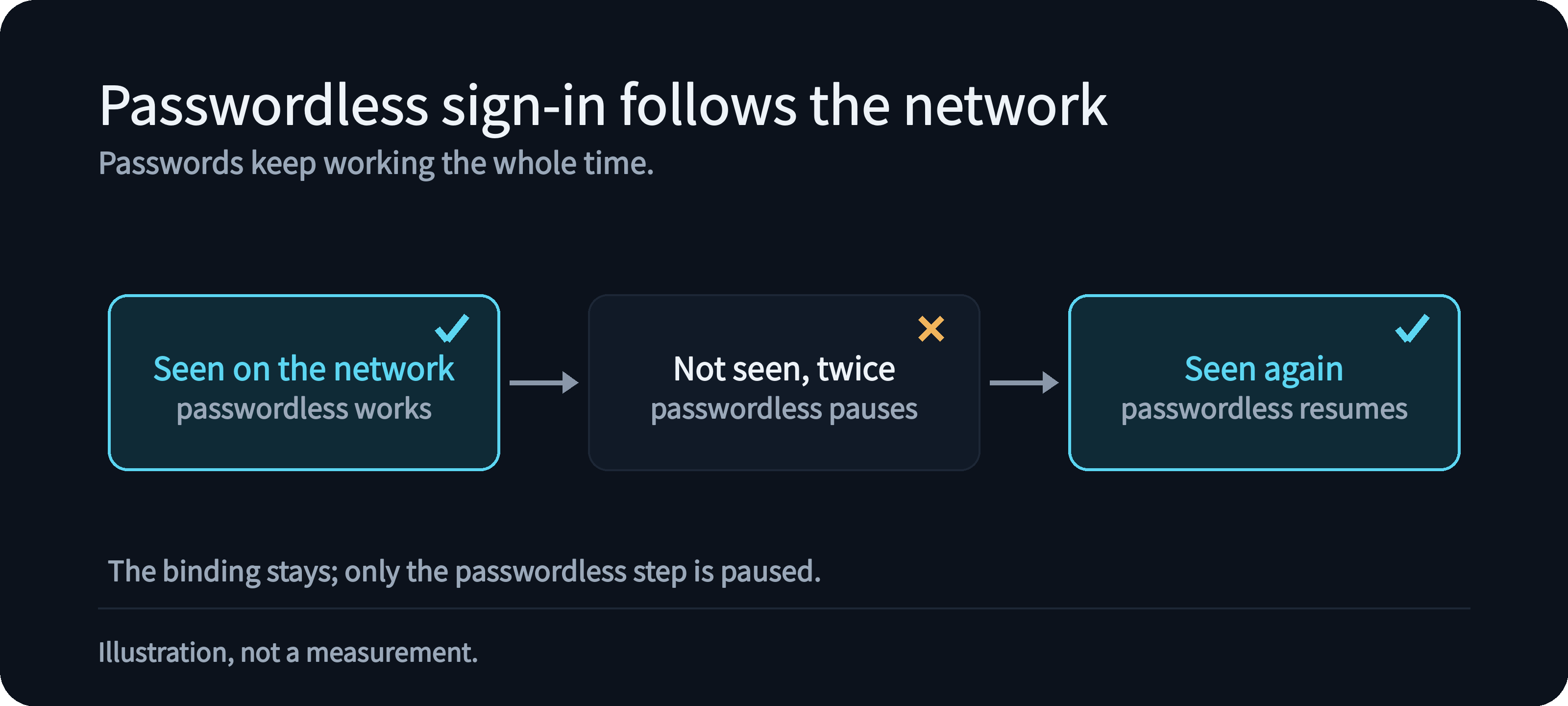
If a person leaves your network (you remove them, delete their devices or stop sharing), their passwordless sign-in pauses by itself once the server has failed to see them twice, at least six hours apart, and returns by itself if they come back. Administrators can press Check now in the plugin's settings to run the check at once. Passwords keep working throughout. Third-party players keep their usual sign-in with a password over the same address.
Uninstalling
When you uninstall the plugin, the server leaves your Tailscale network, and the passwordless links and the sign-ins they created are removed. If the server's entry still shows in the Tailscale admin console, delete it there.
Good to know
Each phone or computer needs the Tailscale app. When Tailscale cannot connect two devices directly it relays the traffic, and then speed depends on the network between them.